
SaveAnswer vs SMASH Voice to Invoice
Comprehensive feature analysis, ratings breakdown, platform compatibility, and community review comparison.
SaveAnswer
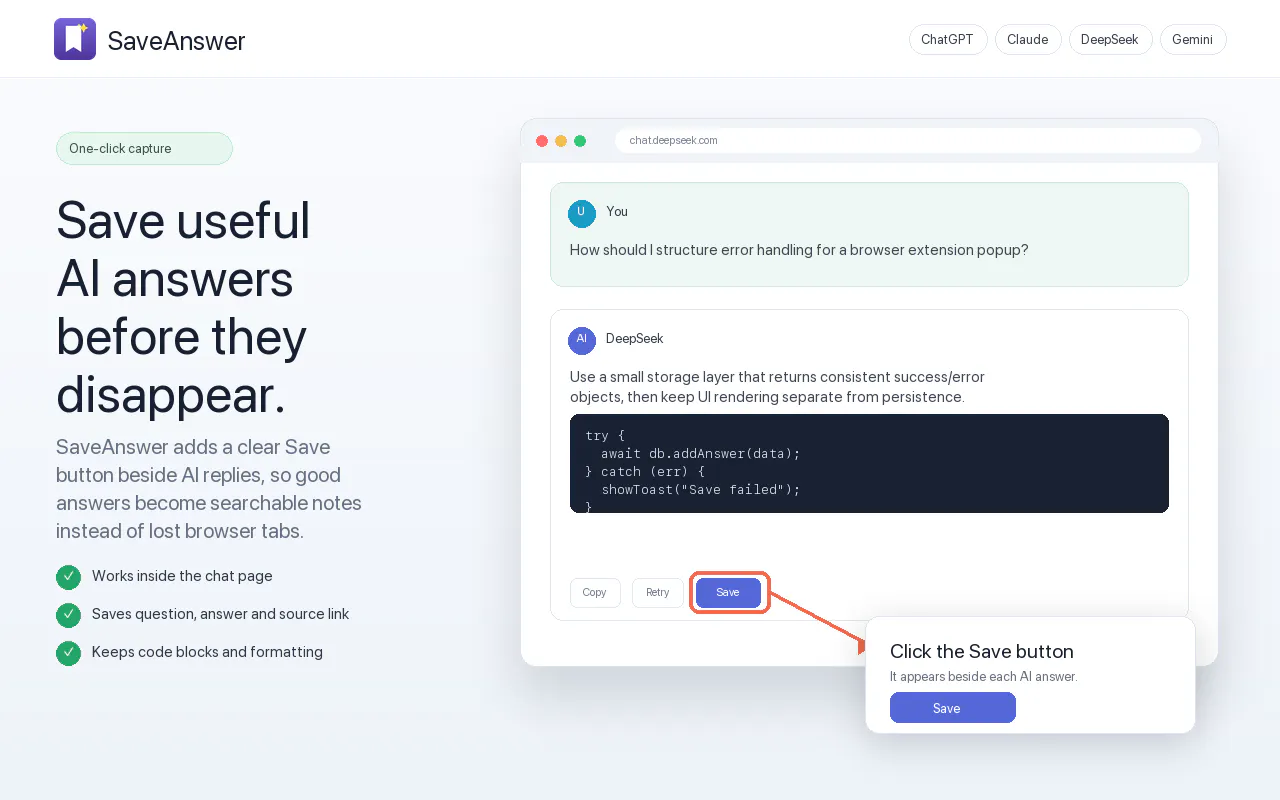
Save useful AI answers, then find them when you need them
Detailed Feature Comparison Matrix
Compare Other Tools| Dimension | SaveAnswer |  SMASH Voice to Invoice |
|---|---|---|
| Primary Category | Chrome Extensions | Chrome Extensions |
| Community Rating | No ratings(0 reviews) | No ratings(0 reviews) |
| Community Upvotes | 5 votes | 71 votes |
| Supported Platforms | WebChrome Extension | Web |
| Tags & Focus | #Chrome Extensions#Productivity | #Chrome Extensions#Tech#OpenAI Day#Productivity#Accounting |
| Maker / Company | Independent Developer | Independent Developer |
| Platform Verification | Community Listing | Community Listing |
About SaveAnswer
SaveAnswer is a local Chrome extension designed for users who want to capture, organize, and reuse valuable AI-generated responses directly within their browser. Built with a privacy-first approach, SaveAnswer simplifies knowledge management by letting you save helpful AI outputs with a single click.
Once installed, a convenient Save button appears next to supported AI replies. Users can instantly save responses, attach custom tags for easy organization, and search through their repository of saved questions and answers whenever they need them again.
SaveAnswer also offers export features. Users can export selected answers into multiple formats—including Markdown, Word, PDF, and HTML. Exported files preserve key context, including the original question, answer text, applied tags, source links, and creation timestamps. Because all data remains strictly within Chrome local storage, SaveAnswer operates without requiring an account, remote backends, or third-party servers.
Pros of SaveAnswer
- Stores all data locally in Chrome storage for complete privacy with no remote servers
- Requires no account setup, registration, or sign-in
- Multiple export format options including Markdown, Word, PDF, and HTML
- Exports include full context like source link, timestamp, tags, question, and answer
- Built-in search and tagging system for quick retrieval
Cons of SaveAnswer
- No cross-device synchronization since data is kept strictly local
- Limited to Google Chrome browser
- Only works on supported AI platform replies
Frequently Asked Questions
Where is my saved data stored?
All saved items remain strictly within your local Chrome storage. SaveAnswer does not use a remote backend or external server.
Do I need an account to use SaveAnswer?
No, SaveAnswer does not require any user account or login.
What export formats does SaveAnswer support?
You can export selected saved answers as Markdown, Word, PDF, or HTML files.
Can I sync my saved answers across different devices?
No, SaveAnswer stores data locally in your browser, so cross-device sync is not available.
What information is included when I export a saved answer?
Exported files include the original question, the saved answer, associated tags, the source link, and the timestamp.
About SMASH Voice to Invoice
SMASH Voice to Invoice is an AI-powered productivity tool designed to help contractors, freelancers, and service professionals build and send quotes as fast as they can talk. Created out of the real-world frustration of losing jobs to faster competitors while trying to remember rates and manually type quotes, SMASH eliminates the friction of administrative work.
By leveraging voice recognition, users can simply talk out the details of a job directly into their phone while still on-site. The tool intelligently pulls from your custom pricing to generate accurate quotes instantly. This eliminates context-switching, guessing rates, and delays, allowing you to secure customer approval on the spot, get paid, and keep moving.
SMASH is available as a free download on the App Store and includes a Chrome extension, offering full-featured functionality with a generous tier of five free quotes per month.
Pros of SMASH Voice to Invoice
- Build and send quotes instantly using your voice while still on-site
- Pulls directly from your own custom pricing to ensure accurate rates
- Available on mobile via the App Store and on desktop via a Chrome extension
- Free tier includes 5 fully featured quotes per month
Cons of SMASH Voice to Invoice
- Limited to five free quotes per month on the free plan
- Requires internet access and voice input capabilities
- May require initial setup of custom pricing to ensure accurate voice-to-quote mapping
Frequently Asked Questions
What is SMASH Voice to Invoice?
SMASH Voice to Invoice is a productivity tool that lets you create and send professional quotes using your voice. It pulls from your custom pricing to generate accurate quotes instantly while you are still on-site with a customer.
How much does SMASH Voice to Invoice cost?
SMASH is free to use on the App Store and via its Chrome extension, offering five full-featured quotes per month for free.
Where can I use SMASH Voice to Invoice?
SMASH is available as a mobile application on the App Store and as a Chrome extension for desktop workflows.