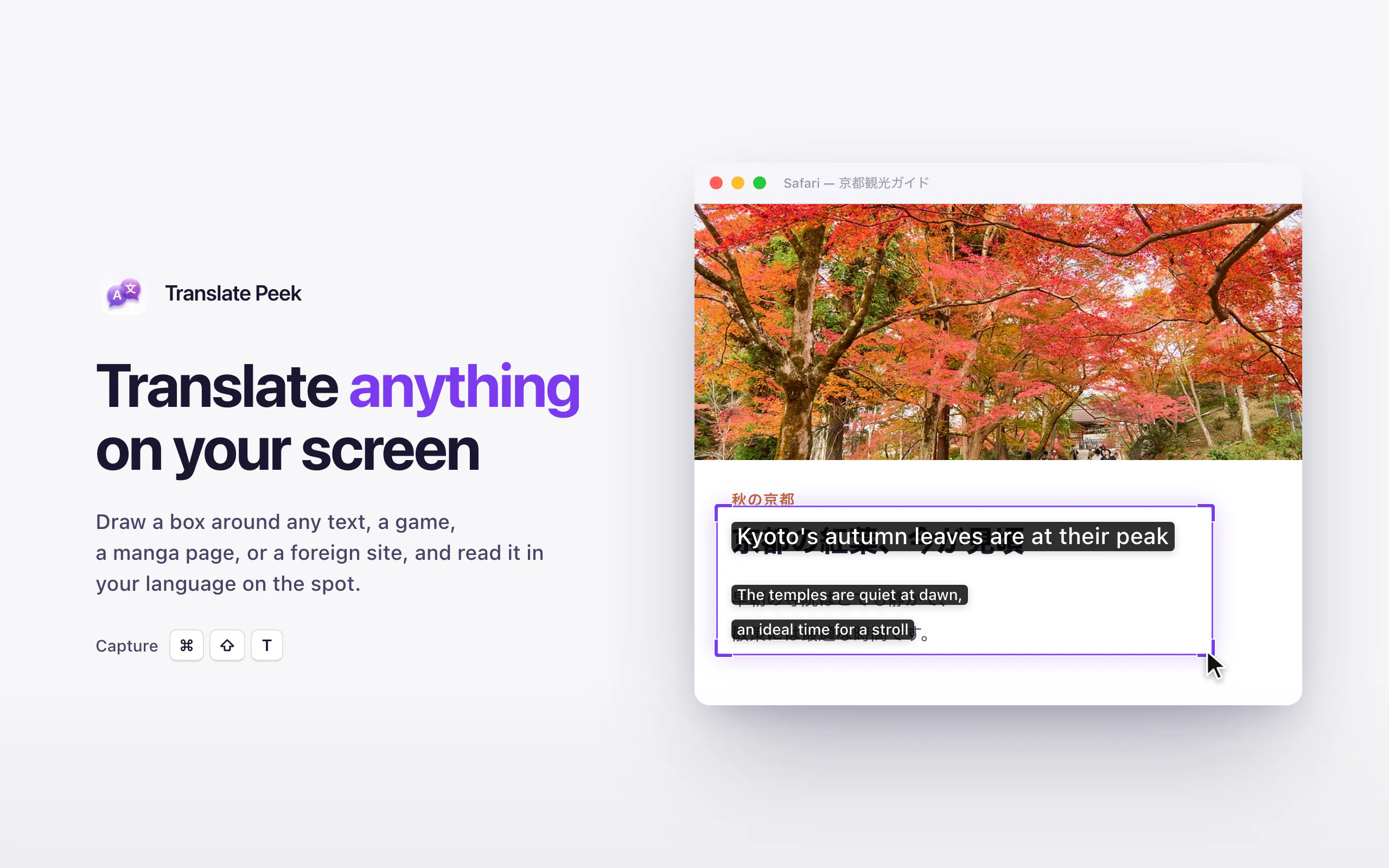
Translate Peek is an on-device translation tool designed specifically for Mac users. It allows you to translate any text visible on your screen by simply dragging a box over it. Instead of forcing you to open a separate window or copy-paste text, Translate Peek displays the translated text in-place—right where the original text is located. This makes it ideal for reading manga panels, navigating localized menus, playing foreign-language games, or viewing PDFs.
The application features a dedicated Live Mode, which continuously translates a selected region of your screen in real time. This functionality is perfect for keeping up with dynamic content like live chat feeds and video subtitles as they update. Built with a focus on privacy and speed, Translate Peek runs entirely on-device. Your screenshots never leave your Mac, and the tool remains fully functional even without an internet connection. Additionally, the application offers strong, specialized support for Japanese, Korean, and Chinese languages.
Translate Peek displays translations in-place directly over the original text on your screen (such as within a game, manga, menu, or PDF), rather than opening a separate app window or output panel.
No. Translate Peek operates fully offline. All translation and text processing run locally on-device, which ensures your screenshots and data never leave your Mac.
Live Mode allows you to select a specific region on your screen and translate it continuously in real time. This is particularly useful for tracking content that changes dynamically, such as video subtitles or live chat messages.
Translate Peek features strong, dedicated support for Japanese, Korean, and Chinese.
0 community reviews for Translate Peek
Help the community by sharing your experience. Your review helps others make better decisions.

Indie Dev & Maker