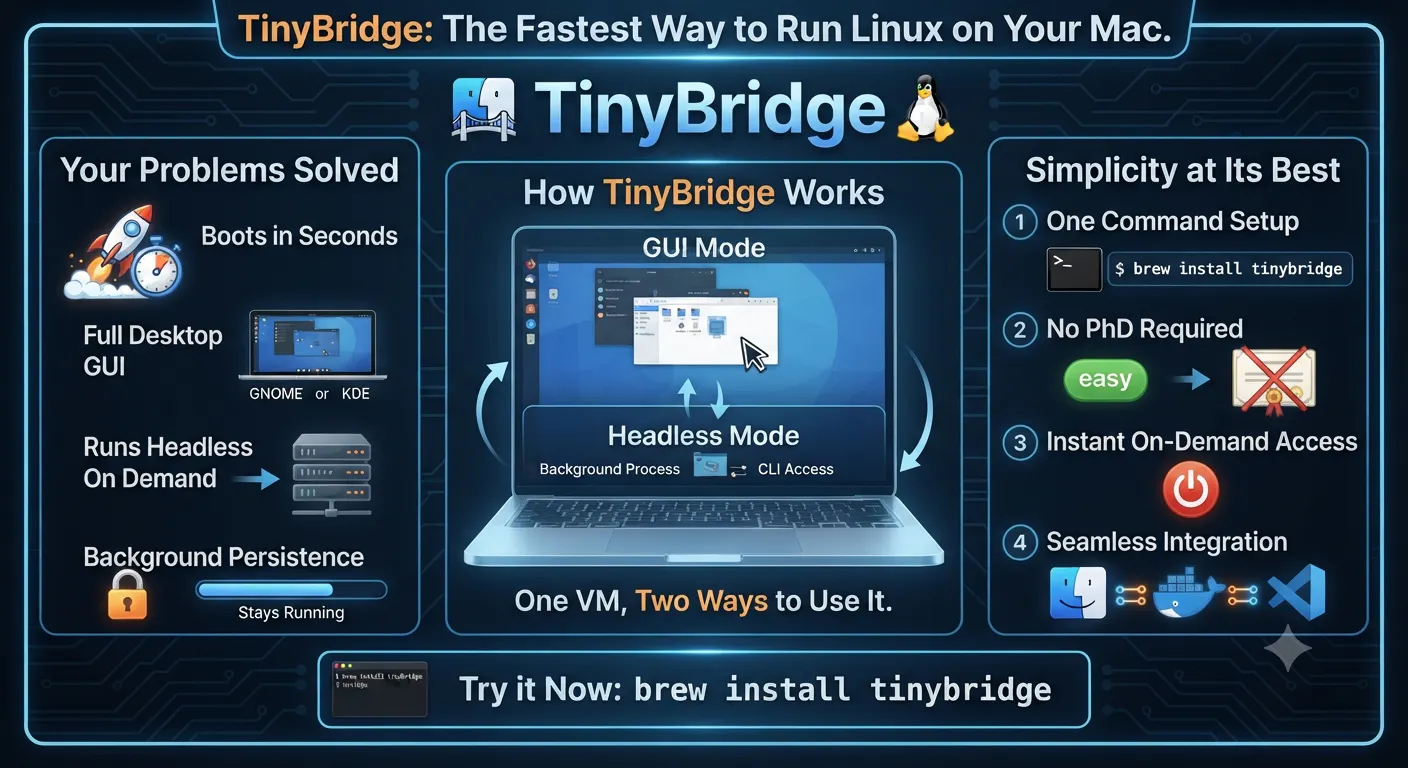
TinyBridge is a developer tool designed for macOS users who need a seamless, lightweight way to run a full Linux virtual machine. Created by senior data engineer Georgi Mullassery, TinyBridge bridges the gap between traditional heavy virtualization and modern developer workflows by offering a real Linux VM that boots in seconds rather than minutes.
Unlike cumbersome virtualization setups that require extensive configuration, TinyBridge can be installed quickly via Homebrew using a single command (brew install tinybridge). It features a desktop GUI that you can actually see, but it can also run completely headless when needed using the exact same virtual machine without requiring a restart. Additionally, it ensures continuity by staying running even after you close the app, giving you reliable, on-demand Linux capabilities on your Mac.
You can install TinyBridge quickly on your Mac using Homebrew with the command: brew install tinybridge.
Yes, TinyBridge features a desktop GUI that you can actually see, while also supporting a headless mode using the exact same VM without needing a restart.
No, TinyBridge stays running even after you close the application, ensuring persistent background availability.
0 community reviews for TinyBridge
Help the community by sharing your experience. Your review helps others make better decisions.

Senior Data Engineer@LTIMIndtree