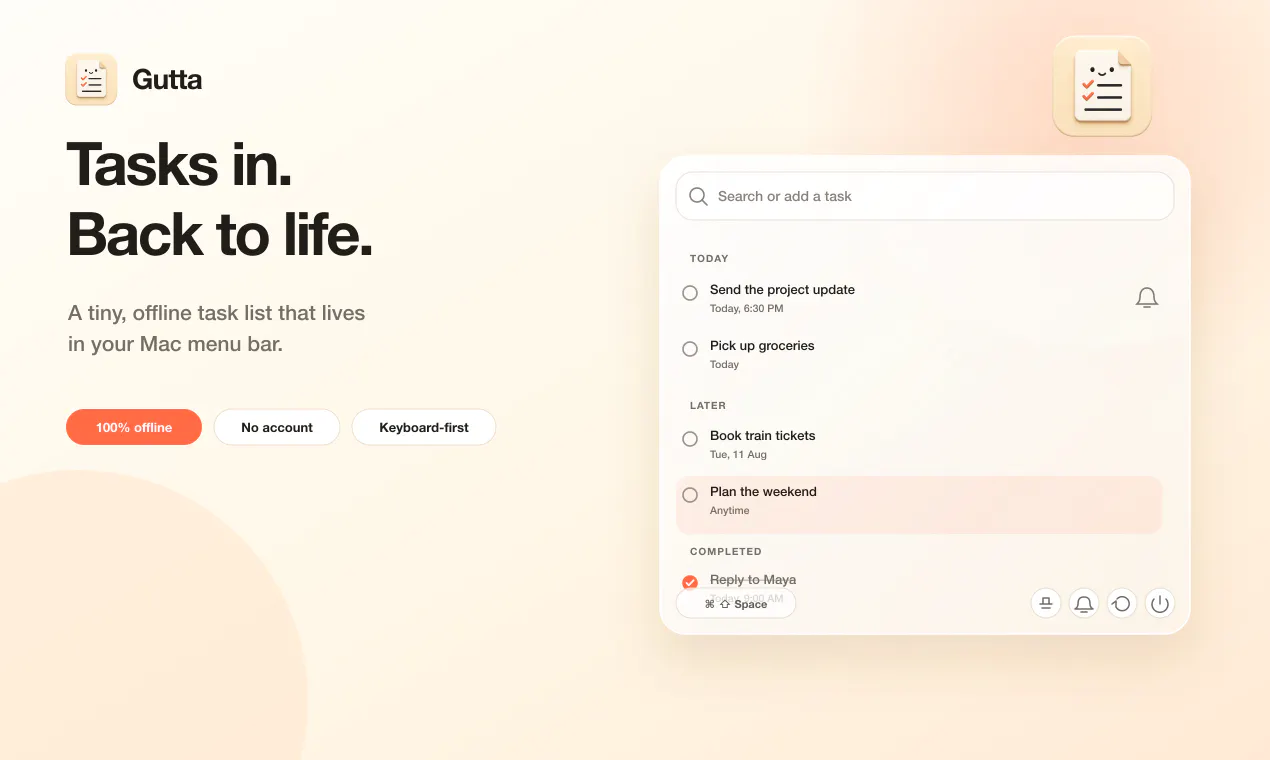
Gutta is a minimalist, keyboard-first task list designed specifically for the macOS menu bar. Created by developer Vaibhav Pathak, Gutta aims to streamline your productivity by getting out of your way and letting you quickly jot down tasks without breaking your workflow. By pressing a simple keyboard shortcut (⌘⇧Space), you can immediately begin typing tasks just the way you think and speak.
Built with privacy and simplicity at its core, Gutta operates entirely offline. It features intelligent natural language processing that understands dates and times, allows you to create multiple tasks simultaneously using semicolon-separated input, and automatically schedules local reminders. Unlike many modern task managers, Gutta requires no user account, subscription, or tracking, and stores all of your data locally on your Mac with optional user-controlled file synchronization via iCloud Drive, Dropbox, or OneDrive.
Gutta is a tiny, keyboard-first task list for the Mac menu bar that allows you to quickly type tasks using natural language, schedule local reminders, and manage your to-dos efficiently.
You can quickly access Gutta by pressing the keyboard shortcut ⌘⇧Space.
All tasks are stored locally on your Mac. Optional synchronization is supported through a folder you control yourself using iCloud Drive, Dropbox, or OneDrive, with no subscriptions or developer-owned cloud required.
No, Gutta does not require a Gutta account, nor does it track your data or require a subscription.
0 community reviews for Gutta
Help the community by sharing your experience. Your review helps others make better decisions.

Building moCode