Cubby Clipboard is a powerful Windows utility designed to be the ultimate clipboard history tool that Microsoft should have shipped natively. Developed by cybersecurity veteran turned AI solo builder Tyler, Cubby elevates the standard copy-paste workflow by allowing users to seamlessly store and search through copied text, images, files, and screenshots—even after system restarts.
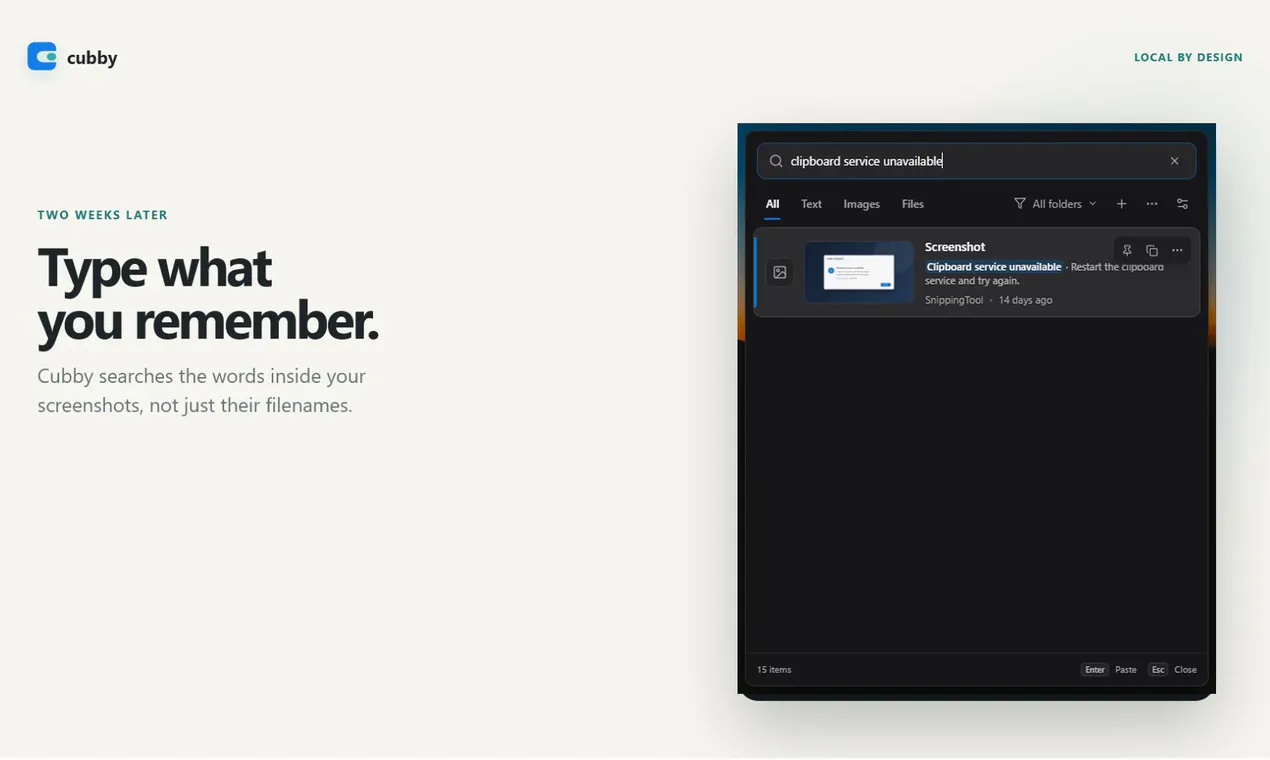
Standing out in the productivity and open-source space, Cubby features robust offline OCR (Optical Character Recognition) technology. This enables users to locate specific screenshots simply by searching for the words contained inside them. Privacy is a core pillar of the software: everything stays entirely encrypted on your local PC with no account required, no cloud storage, and zero clipboard telemetry. Simply trigger the app with a shortcut, search your history, and paste.
Cubby Clipboard is a Windows productivity tool that stores and tracks your copied text, images, files, and screenshots, keeping them searchable even after system restarts.
Cubby uses built-in offline OCR (Optical Character Recognition) technology to read text within your images and screenshots, allowing you to find them by searching for the words they contain.
Yes. Everything stays encrypted locally on your PC. Cubby features no accounts, no cloud storage, and zero clipboard telemetry.
0 community reviews for Cubby Clipboard
Help the community by sharing your experience. Your review helps others make better decisions.