
witr vs Cedra System
Comprehensive feature analysis, ratings breakdown, platform compatibility, and community review comparison.
Detailed Feature Comparison Matrix
Compare Other Tools| Dimension | 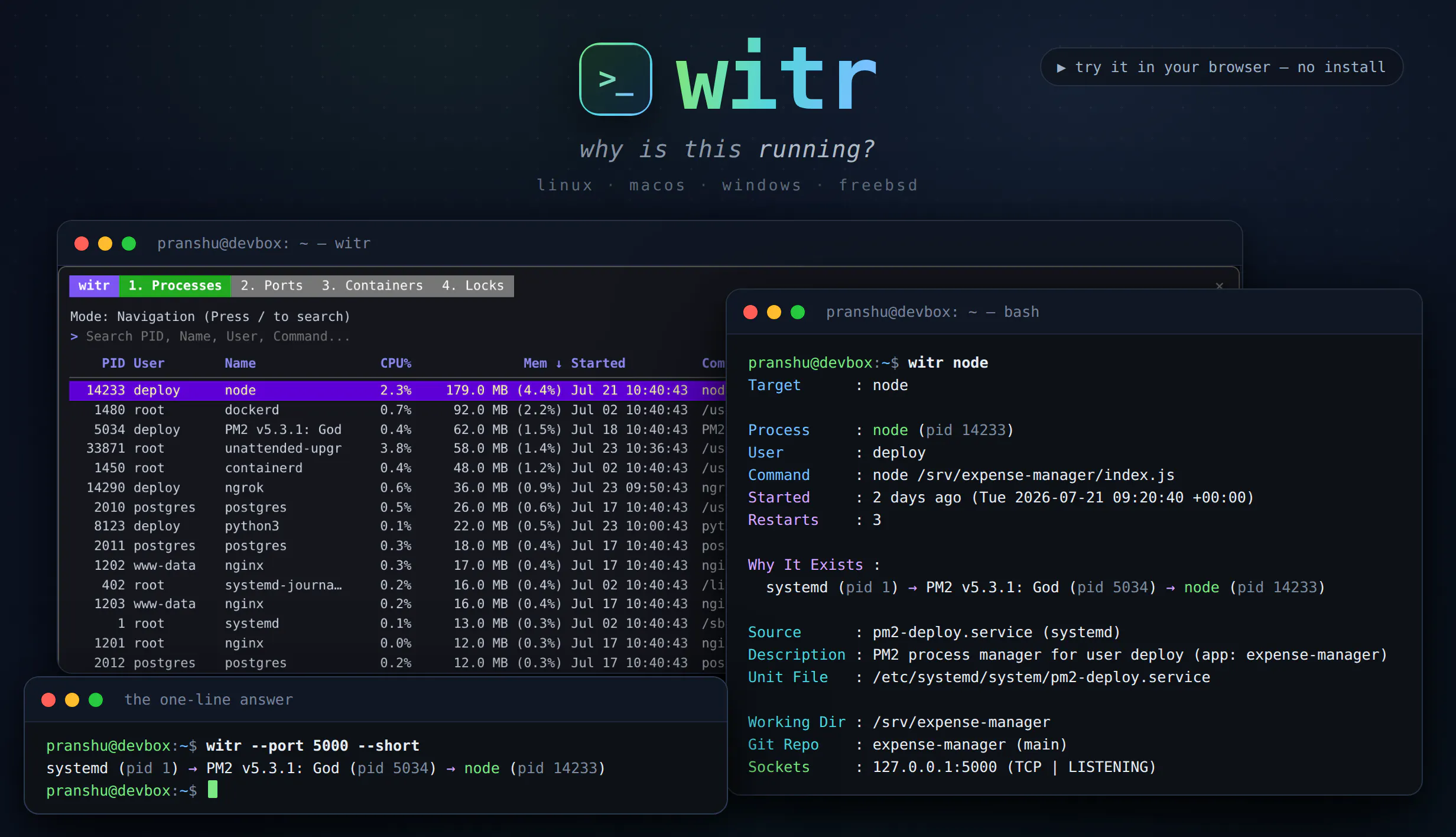 witr |  Cedra System |
|---|---|---|
| Primary Category | Linux | Linux |
| Community Rating | 5.0(1 reviews) | No ratings(0 reviews) |
| Community Upvotes | 147 votes | 5 votes |
| Supported Platforms | Web | Web |
| Tags & Focus | #Linux#Developer Tools#GitHub#Open Source | #Linux#Developer Tools#GitHub#Open Source |
| Maker / Company | Independent Developer | Independent Developer |
| Platform Verification | Community Listing | Community Listing |
About witr
Traditional system monitoring tools like ps, top, and lsof tell you what is currently running on your system, but they often leave you guessing about the context. witr (created by Pranshu Parmar) bridges this gap by telling you why a process, port, container, or file is running. By pointing it at any of these targets, witr traces the complete lineage and ancestry chain—explaining how it was spawned by systemd, supervisor, a shell, or cron, alongside details on who started it, when, from where, and any relevant warnings.
Designed for flexibility, witr can be run bare to launch an interactive TUI featuring dedicated tabs for Processes, Ports, Containers, and Locks. For automation and scripting, it supports flags like --short for a quick one-line chain and --json with real exit codes. Distributed as a single static Go binary, it is built to run smoothly across Linux, macOS, Windows, and BSD.
Pros of witr
- Traces the complete ancestry chain of processes, ports, containers, and files
- Interactive TUI mode with dedicated tabs for Processes, Ports, Containers, and Locks
- Script-friendly options including --short for one-line chains and --json output with real exit codes
- Distributed as a single static Go binary with cross-platform support (Linux, macOS, Windows, BSD)
- Open-source developer tool
Cons of witr
- Requires manual command-line execution or terminal interaction
- Cross-platform compatibility depends on underlying operating system support for specific inspectors (like containers or locks)
Frequently Asked Questions
What is witr?
witr is an open-source developer tool that traces the lineage and ancestry chain of a process, PID, port, container, or file to explain why it is running, who started it, when, and from where.
How do you use witr?
You can run witr bare to open an interactive TUI with Processes, Ports, Containers, and Locks tabs, or use command-line flags like --short for a one-line chain and --json for programmatic scripting.
What operating systems are supported?
witr is distributed as a single static Go binary supporting Linux, macOS, Windows, and BSD.
About Cedra System
Cedra System, created by developer and content creator Manuel Gil, is an open-source tool designed to streamline and enhance the setup process for Debian workstations. Going beyond standard apt install procedures, Cedra provides a comprehensive approach to system preparation through a clean, user-friendly GTK interface.
The application brings together essential post-installation tasks including software deployment, system configuration, desktop integration, and security policy management while maintaining a repairable state. To ensure safety and transparency, Cedra previews all proposed actions prior to execution, clearly showing users what modifications will be made to the workstation and what system elements will remain untouched.
Pros of Cedra System
- Simple GTK interface for managing system setup
- Provides pre-execution preview showing modifications and untouched settings
- Goes beyond package installation to handle security policies and desktop integration
- Open-source project available on GitHub
Cons of Cedra System
- Specifically designed for Debian, limiting direct use on non-Debian distributions
- Relatively new project with limited community reviews available
Frequently Asked Questions
What is Cedra System?
Cedra System is an open-source tool designed to prepare and configure Debian workstations beyond standard apt package installations.
How does Cedra System show system changes before applying them?
Through its GTK interface, Cedra System displays a preview of what modifications will be made and what files or settings will remain untouched before any changes are finalized.
What system areas does Cedra System manage?
Cedra manages software installation, core system configuration, desktop integration, security policies, and maintains a repairable state.
Who created Cedra System?
Cedra System was created by Manuel Gil, a developer and content creator.