
What's my local ai? vs Day of Us
Comprehensive feature analysis, ratings breakdown, platform compatibility, and community review comparison.
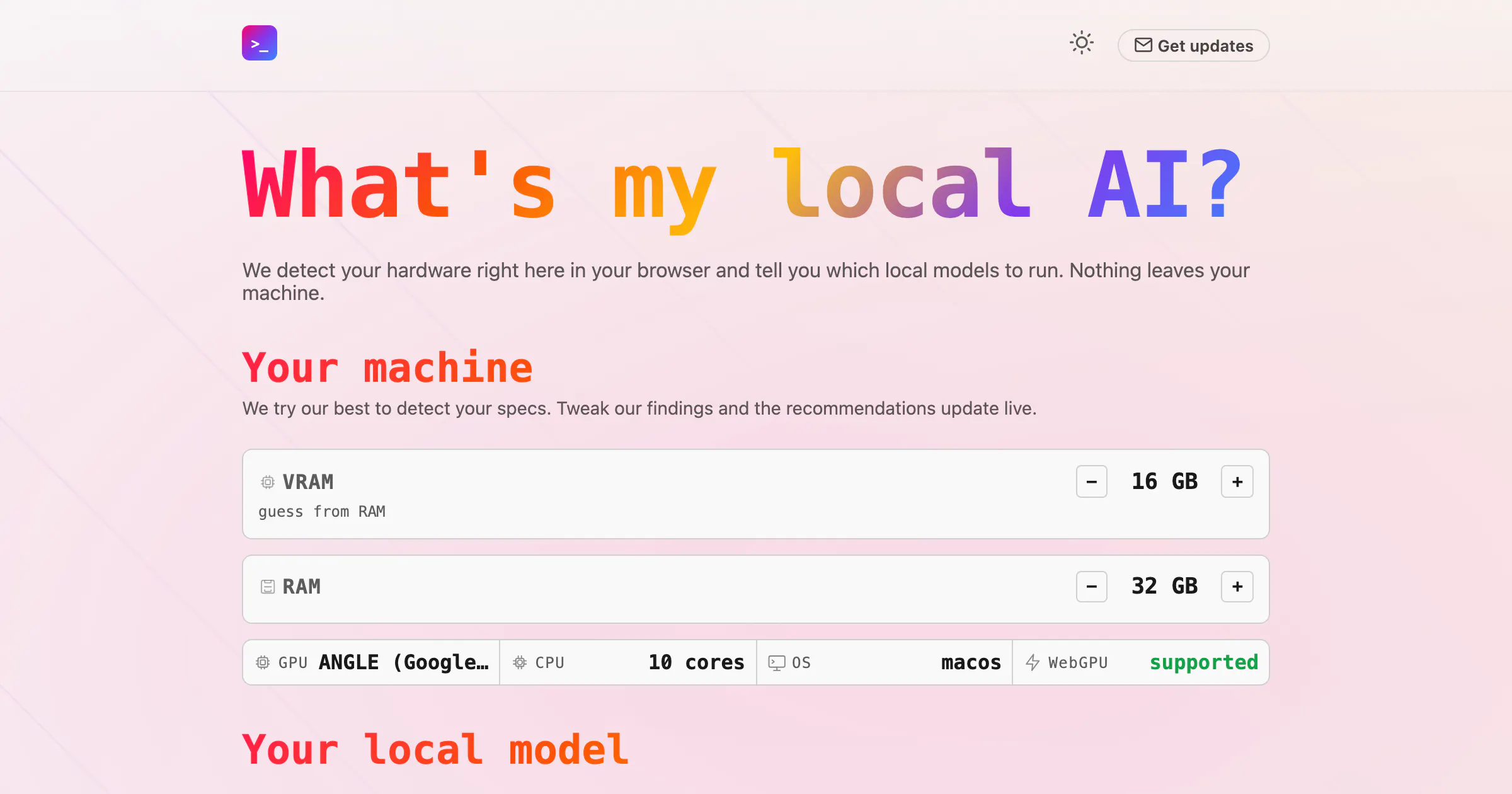
What's my local ai?
Find the best local model for your machine
Detailed Feature Comparison Matrix
Compare Other Tools| Dimension | What's my local ai? |  Day of Us |
|---|---|---|
| Primary Category | Web App | Web App |
| Community Rating | No ratings(0 reviews) | No ratings(0 reviews) |
| Community Upvotes | 12 votes | 5 votes |
| Supported Platforms | Web | Web |
| Tags & Focus | #Artificial Intelligence#GitHub#Web App | #SaaS#Productivity#Web App |
| Maker / Company | Independent Developer | Independent Developer |
| Platform Verification | Community Listing | Community Listing |
About What's my local ai?
What's my local ai? is a specialized web application designed to help users find the best local artificial intelligence model for their specific computer hardware. Operating directly within your browser, the tool automatically detects your machine's hardware specifications to recommend optimal local models compatible with popular runtimes like Ollama or LM Studio.
Focused heavily on privacy and ease of use, What's my local ai? ensures that all hardware detection and processing happen securely on your device—meaning nothing ever leaves your machine.
Pros of What's my local ai?
- Detects your hardware right inside your browser
- Recommends local AI models tailored for Ollama or LM Studio
- Privacy-focused design ensures nothing leaves your machine
- Easy-to-use web application interface
Cons of What's my local ai?
- Limited to recommending models compatible with Ollama or LM Studio
- Relies entirely on browser-based hardware detection capabilities
Frequently Asked Questions
How does What's my local ai? detect my hardware?
The tool detects your hardware capabilities directly within your web browser.
Which local AI runtimes are supported?
The tool tells you which local models to run specifically with Ollama or LM Studio.
Is my hardware data kept private?
Yes. Nothing leaves your machine during the hardware detection and model recommendation process.
About Day of Us
Day of Us is a convenient, free web application designed by indie maker Zac to help couples streamline their wedding planning through a single, unified link. The platform simplifies the wedding prep process by consolidating guest RSVPs, music requests, and photo sharing into one central location.
One of the standout features of Day of Us is its friction-free approach to guest participation. Guests can upload photos directly from their mobile devices by simply scanning a QR code, which opens in their browser without requiring any application downloads. Additionally, the platform features an interactive song request system with built-in audio previews, allowing guests to listen to tracks before submitting them. Couples can also set up a dedicated digital Wishes Wall where guests can leave messages and well wishes.
Day of Us is free to set up and use under its base tier, which supports basic RSVP collection, song requests, and photo uploads with limits. For couples seeking expanded features, a highly affordable, one-time $19 upgrade is available. This flat-fee upgrade avoids recurring monthly subscriptions and unlocks unlimited guests, unlimited photo uploads, a custom website link, access to the Wishes Wall, and PDF exports for guest lists and music playlists.
Pros of Day of Us
- Completely free to start using for wedding planning
- No app download required for guests to upload photos via QR code
- Enables song requests with built-in preview playback
- Affordable, one-time $19 upgrade instead of a monthly subscription
Cons of Day of Us
- Free plan has limits on guest counts and photo uploads
- Custom website links and the wishes wall require the paid upgrade
- Export options for guest lists and playlists are limited to PDF format
Frequently Asked Questions
Is Day of Us free to use?
Yes, Day of Us is completely free to start. You can set up your wedding page, collect RSVPs, and gather song requests and photos under the free tier.
Do guests need to download an app to upload photos?
No, guests do not need to install any app. They can simply scan a QR code and upload photos directly from their phone's browser.
What does the $19 upgrade include?
The one-time $19 upgrade unlocks unlimited guests, unlimited photo uploads, a custom link, access to the wishes wall, and the ability to export your guest list and playlist to PDF.
Can guests preview their song requests?
Yes, the song request feature allows guests to listen to preview playback of the songs they want to request for your wedding.