
Website to Markdown API vs TenTags API & AI generate
Comprehensive feature analysis, ratings breakdown, platform compatibility, and community review comparison.
Detailed Feature Comparison Matrix
Compare Other Tools| Dimension |  Website to Markdown API | 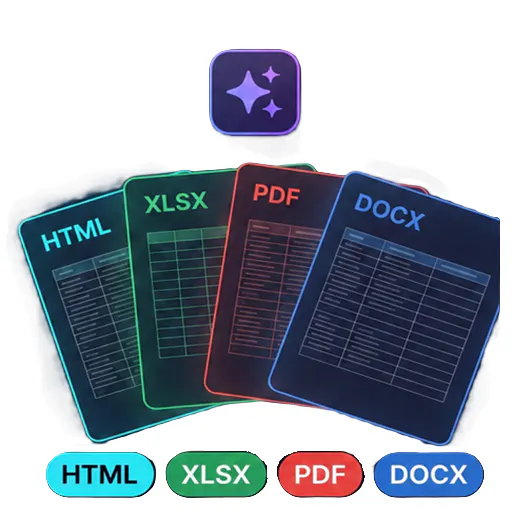 TenTags API & AI generate |
|---|---|---|
| Primary Category | API | API |
| Community Rating | 4.0(1 reviews) | No ratings(0 reviews) |
| Community Upvotes | 133 votes | 5 votes |
| Supported Platforms | Web | Web |
| Tags & Focus | #Developer Tools#API#Data | #Artificial Intelligence#Developer Tools#API |
| Maker / Company | Independent Developer | Independent Developer |
| Platform Verification | Community Listing | Community Listing |
About Website to Markdown API
Website to Markdown API is an advanced developer tool and AI infrastructure solution designed to turn any website into LLM-ready Markdown effortlessly. By simply submitting a URL, users receive clean, structured Markdown output that goes straight into an LLM context window or knowledge base without requiring any post-processing.
Built to handle modern web complexities, the API automatically processes JavaScript-rendered pages while intelligently stripping away unnecessary elements like navigation bars, footers, and cookie banners. It also features robust anti-bot evasion capabilities—including proxy rotation, browser fingerprinting, and automated retries—ensuring reliable data extraction. Additionally, the same versatile API supports multi-format processing for PDFs, DOCX, PPTX, images, audio, and video, and includes a CDN-hosted screenshot with a free plan available.
Pros of Website to Markdown API
- Automatically handles JavaScript-rendered pages and strips out clutter like footers and cookie banners
- Built-in anti-bot evasion with proxy rotation, browser fingerprinting, and retries
- Multi-format support handling PDFs, DOCX, PPTX, images, audio, and video through a single API
- Outputs clean Markdown ready to drop straight into LLM context windows or knowledge bases
Cons of Website to Markdown API
- Specific paid tier pricing structures and limits are not explicitly detailed in the available metadata
- Relies entirely on external API connectivity for data processing and conversions
- Advanced anti-bot handling and parsing features may require proper integration effort
Frequently Asked Questions
What types of input formats does the API support?
The API handles URLs (including JavaScript-rendered pages) as well as various file formats such as PDFs, DOCX, PPTX, images, audio, and video.
Is there a free plan available?
Yes, a free plan is available for users looking to test or utilize the Website to Markdown API.
How does the API handle anti-bot protections?
The API features built-in anti-bot evasion mechanisms, which include proxy rotation, browser fingerprinting, and automated retries.
About TenTags API & AI generate
TenTags API & AI generate is an API-first document generation tool designed to streamline how developers and teams create structured files. By leveraging declarative Style/Data CSV templates, TenTags allows users to transform templates into HTML, PDF, XLSX, or DOCX files through a single authenticated endpoint.
Built for developer efficiency, the platform features a web playground where you can easily build and preview your templates before deploying them. Once ready, you can remotely generate documents from any backend system or via the command line interface (CLI), making it a flexible solution for modern software workflows.
Pros of TenTags API & AI generate
- API-first approach allows remote document generation from any backend or CLI
- Supports multiple popular output formats including HTML, PDF, XLSX, and DOCX
- Declarative Style/Data CSV templates simplify the document layout process
- Includes a web playground to build and preview templates in real time
Cons of TenTags API & AI generate
- Requires familiarity with API integrations and backend development
- Relies on declarative Style/Data CSV templates which may require a learning curve
- Limited documentation/details outside of core template-to-document conversion features
Frequently Asked Questions
What output formats does TenTags API support?
TenTags API supports generating documents in HTML, PDF, XLSX, and DOCX formats.
How do you create and test documents?
You can build and preview your declarative Style/Data CSV templates using the web playground, and then generate the final documents remotely from any backend or CLI via a single authenticated endpoint.
Who is this tool built for?
TenTags is designed primarily as a developer tool for software engineers and teams needing programmatic, API-driven document generation.