
Visuan vs Hamburger Menu CSS Gallery
Comprehensive feature analysis, ratings breakdown, platform compatibility, and community review comparison.

Visuan
Branded B2B blog visuals and LinkedIn carousels in 1 click
Detailed Feature Comparison Matrix
Compare Other Tools| Dimension | Visuan | 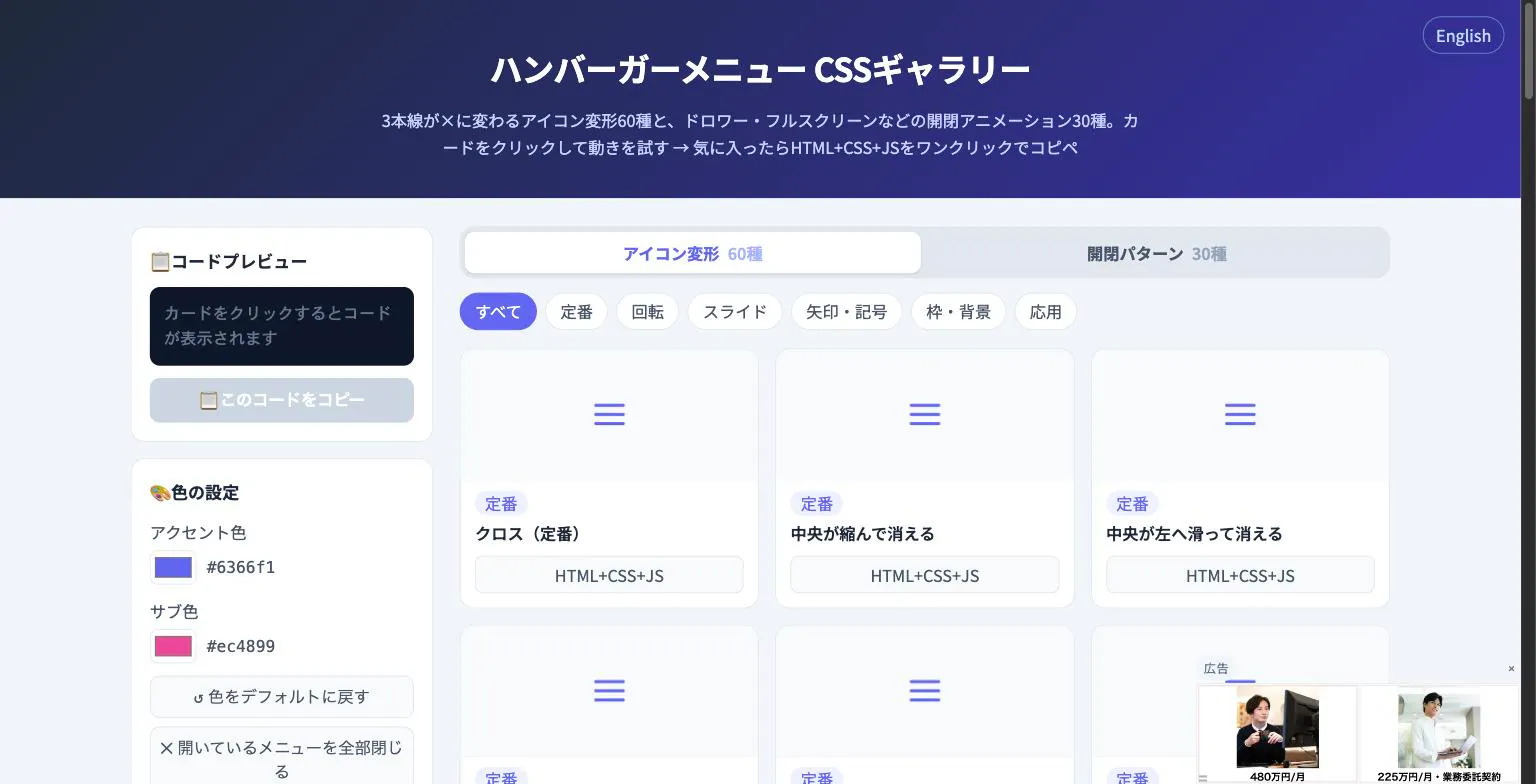 Hamburger Menu CSS Gallery |
|---|---|---|
| Primary Category | Design Tools | Design Tools |
| Community Rating | No ratings(0 reviews) | No ratings(0 reviews) |
| Community Upvotes | 17 votes | 5 votes |
| Supported Platforms | Web | Web |
| Tags & Focus | #Design Tools#Social media marketing#LinkedIn | #Developer Tools#Design Tools |
| Maker / Company | Independent Developer | Independent Developer |
| Platform Verification | Community Listing | Community Listing |
About Visuan
Visuan is an innovative AI-powered design tool tailored specifically for B2B marketers, writers, and content creators. It bridges the gap between long-form written content and high-impact visual marketing by automatically reading your B2B articles, extracting the core key points, and transforming them into professional graphics.
With just a single click, Visuan generates both eye-catching branded blog visuals and matching LinkedIn carousels designed consistently within your unique brand style. Unlike traditional AI image generators that output flat, uneditable pixels, Visuan ensures that everything is fully editable in layers. This means you can easily tweak a single word, correct a typo, or adjust layout elements without needing to regenerate the entire image from scratch.
Pros of Visuan
- Generates branded blog visuals and matching LinkedIn carousels from text in one click
- Extracts key points directly from your B2B articles automatically
- Assets are fully editable in layers, allowing for precise text and element tweaks
- Maintains your consistent brand style across all generated graphics
- Streamlines social media marketing and design workflows
Cons of Visuan
- Limited information regarding external integrations beyond basic web access
- Focused primarily on B2B articles and LinkedIn carousels
- Requires an internet connection and active subscription/platform usage
Frequently Asked Questions
What does Visuan do?
Visuan reads your B2B article, extracts key points, and automatically generates branded blog visuals and matching LinkedIn carousels in your brand style.
Can I edit the text after the images are generated?
Yes! Everything generated comes editable in layers, allowing you to change words or text elements without needing to regenerate the entire image.
What platforms and use cases is Visuan built for?
Visuan is designed for design tools, social media marketing, and LinkedIn optimization, specifically focusing on B2B content workflows.
About Hamburger Menu CSS Gallery
Hamburger Menu CSS Gallery is a specialized developer and design tool created to simplify the implementation of navigation toggles. It features a curated collection of 90 copy-paste CSS hamburger menu options, including 60 unique icon morph effects—such as standard three-line transformations into an X—and 30 open/close container animations like drawers, fullscreen overlays, and circular reveals.
Designed for efficiency, the platform allows users to test effects live directly in the browser. Developers can customize accent colors and copy the required HTML, CSS, and JavaScript with a single click. Best of all, the tool requires no external libraries and no sign-up process, making it an immediate, frictionless addition to any web developer's toolkit.
Pros of Hamburger Menu CSS Gallery
- Includes 90 total copy-paste CSS hamburger menu styles and toggle animations
- Offers 60 distinct icon morph effects and 30 open/close container animations
- Live in-browser preview with customizable accent colors
- Requires no external libraries or user registration/sign-up
Cons of Hamburger Menu CSS Gallery
- Focused exclusively on hamburger menus and toggle animations
- Limited information on advanced framework integrations based on available metadata
Frequently Asked Questions
What is Hamburger Menu CSS Gallery?
It is a developer and design tool featuring 90 copy-paste CSS hamburger menu options, split between 60 icon morph effects and 30 open/close toggle animations.
Do I need to sign up or use external libraries?
No sign-up is required, and the components do not rely on external libraries. You can preview everything live in the browser and copy the code with a single click.
What types of animations are included?
The gallery includes 60 icon morph effects (such as lines turning into an X) and 30 open/close animations including drawer, fullscreen, and circular reveal effects.