
Superflow AI vs Hamburger Menu CSS Gallery
Comprehensive feature analysis, ratings breakdown, platform compatibility, and community review comparison.
Detailed Feature Comparison Matrix
Compare Other Tools| Dimension |  Superflow AI | 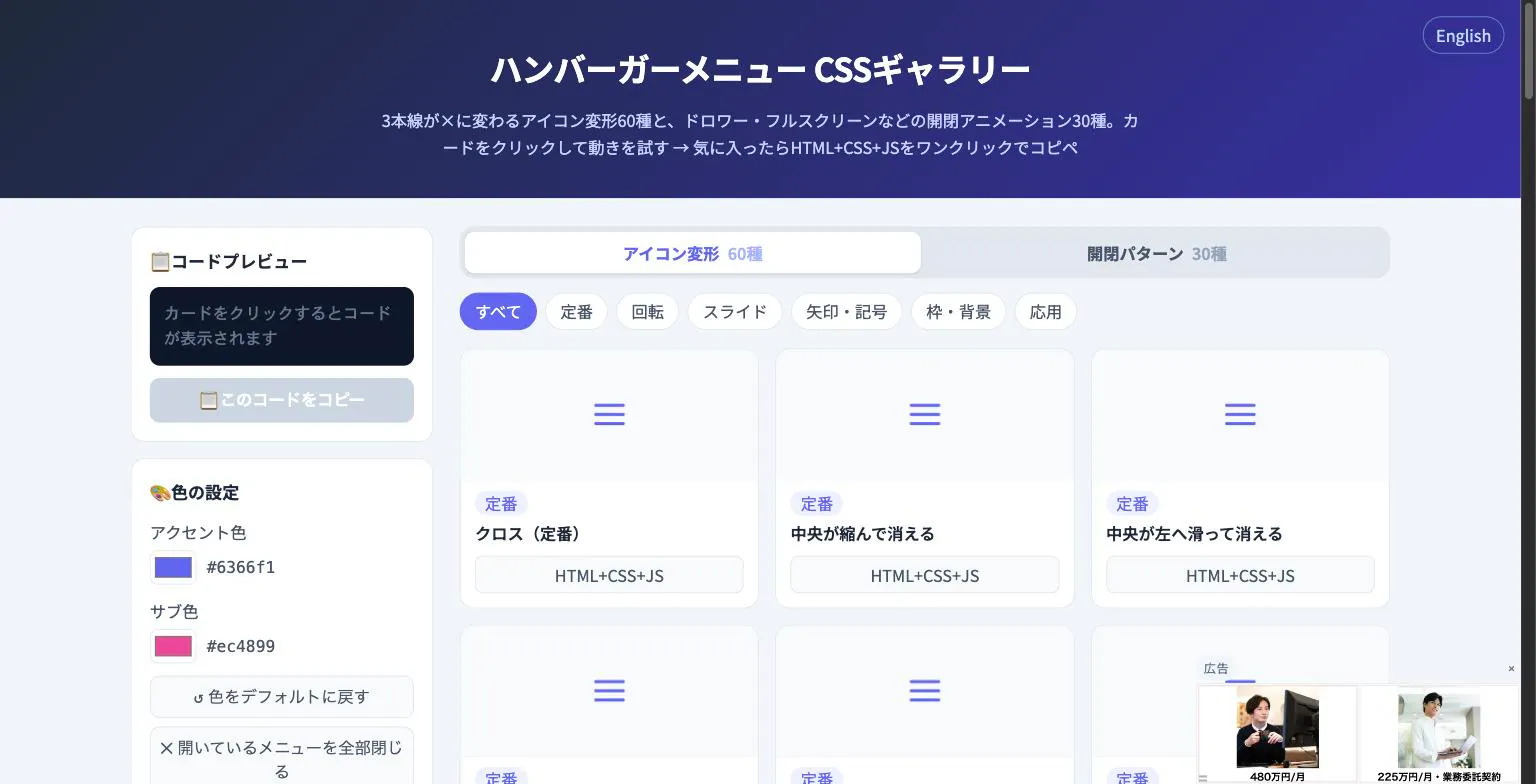 Hamburger Menu CSS Gallery |
|---|---|---|
| Primary Category | Design Tools | Design Tools |
| Community Rating | 4.7(7 reviews) | No ratings(0 reviews) |
| Community Upvotes | 254 votes | 5 votes |
| Supported Platforms | Web | Web |
| Tags & Focus | #Artificial Intelligence#Design Tools#Marketing automation | #Developer Tools#Design Tools |
| Maker / Company | Independent Developer | Independent Developer |
| Platform Verification | Community Listing | Community Listing |
About Superflow AI
Superflow AI is an automated quality assurance (QA) solution designed to streamline the website pre-launch review process. By converting existing manual QA checklists into autonomous AI agents, Superflow scans every page across both desktop and mobile viewports to identify objective errors before a site goes live.
Instead of manually combing through layouts, the platform's AI agents sweep the live site and pin every issue directly onto the web pages. Superflow focuses specifically on handling straightforward, "black and white" technical issues, ensuring human teams retain control over subjective design choices and brand taste.
A core feature of Superflow AI is its adaptive learning capability. When users reject a reported finding, the system adjusts so similar false positives are suppressed in future runs. Similarly, newly flagged misses can be incorporated into checklist rules for future site audits. Teams using Superflow report catching approximately 90% of what they traditionally discovered through manual effort. It supports integrations across popular web builders and frameworks including Webflow, Framer, WordPress, Shopify, Next.js, Netlify, and more.
Pros of Superflow AI
- Automates manual QA checklists across both desktop and mobile viewports
- Pins identified findings directly onto the live website for straightforward context
- Learns from user feedback by suppressing rejected findings and incorporating missed checks for future audits
- Works with popular builders and frameworks including Webflow, Framer, WordPress, Shopify, Next.js, and Netlify
- Catches ~90% of issues traditionally found through manual human reviews
Cons of Superflow AI
- Designed primarily for objective issues, requiring human oversight for design taste and subjective evaluations
- Pricing plans and tier structures are not specified in the initial metadata
Frequently Asked Questions
What is Superflow AI?
Superflow AI is a software tool that converts manual website QA checklists into automated AI agents. It sweeps desktop and mobile pages to identify technical issues and pins findings directly onto the live site prior to launch.
Which platforms are compatible with Superflow AI?
Superflow AI works with several popular website platforms and frameworks, including Webflow, Framer, WordPress, Shopify, Next.js, and Netlify.
How do Superflow AI agents learn and improve?
Superflow AI agents adapt based on team input. When you reject a finding, the agent stops flagging it in future sweeps. If a team identifies a missed issue, it can be converted into an automated check for future sites.
Does Superflow AI replace human QA completely?
No. Superflow AI is designed to automate objective, 'black and white' issues, catching ~90% of what teams find manually. Creative decisions and design taste remain in the hands of human reviewers.
About Hamburger Menu CSS Gallery
Hamburger Menu CSS Gallery is a specialized developer and design tool created to simplify the implementation of navigation toggles. It features a curated collection of 90 copy-paste CSS hamburger menu options, including 60 unique icon morph effects—such as standard three-line transformations into an X—and 30 open/close container animations like drawers, fullscreen overlays, and circular reveals.
Designed for efficiency, the platform allows users to test effects live directly in the browser. Developers can customize accent colors and copy the required HTML, CSS, and JavaScript with a single click. Best of all, the tool requires no external libraries and no sign-up process, making it an immediate, frictionless addition to any web developer's toolkit.
Pros of Hamburger Menu CSS Gallery
- Includes 90 total copy-paste CSS hamburger menu styles and toggle animations
- Offers 60 distinct icon morph effects and 30 open/close container animations
- Live in-browser preview with customizable accent colors
- Requires no external libraries or user registration/sign-up
Cons of Hamburger Menu CSS Gallery
- Focused exclusively on hamburger menus and toggle animations
- Limited information on advanced framework integrations based on available metadata
Frequently Asked Questions
What is Hamburger Menu CSS Gallery?
It is a developer and design tool featuring 90 copy-paste CSS hamburger menu options, split between 60 icon morph effects and 30 open/close toggle animations.
Do I need to sign up or use external libraries?
No sign-up is required, and the components do not rely on external libraries. You can preview everything live in the browser and copy the code with a single click.
What types of animations are included?
The gallery includes 60 icon morph effects (such as lines turning into an X) and 30 open/close animations including drawer, fullscreen, and circular reveal effects.