
SARA vs Vizhi
Comprehensive feature analysis, ratings breakdown, platform compatibility, and community review comparison.
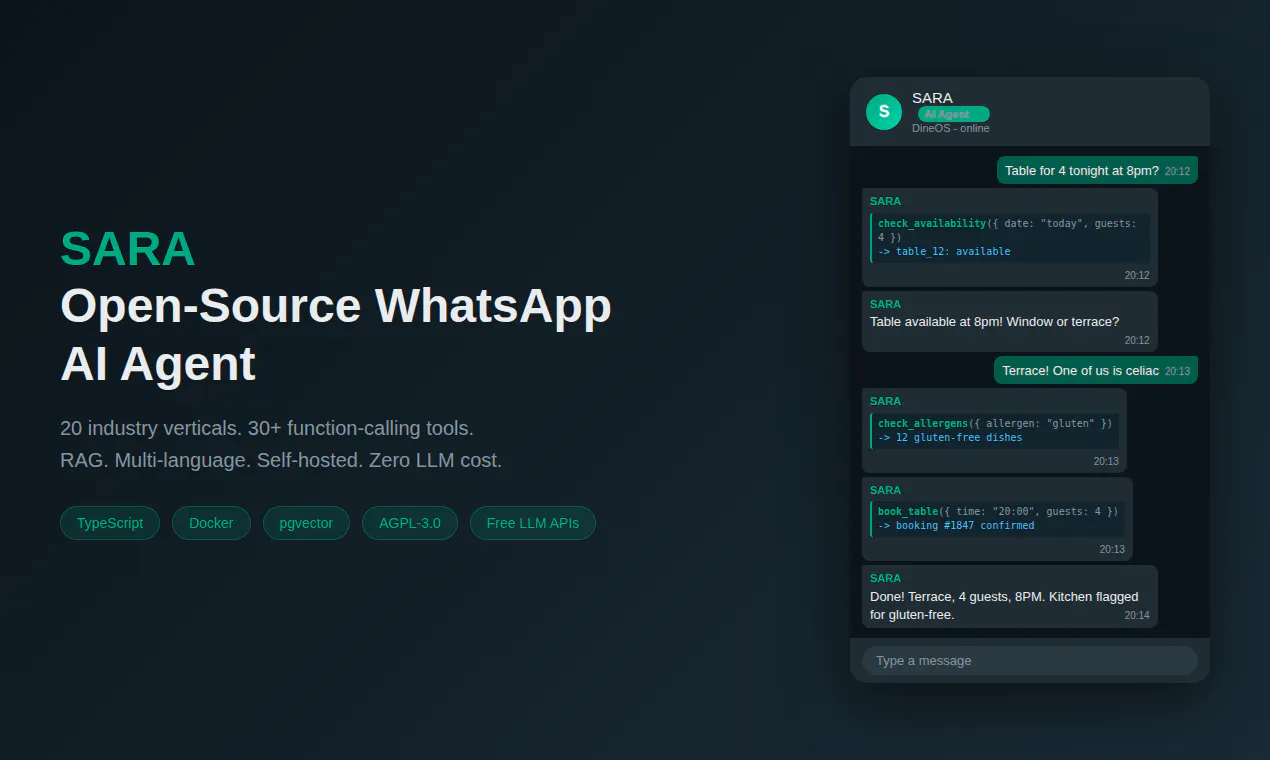
SARA
Open-source WhatsApp AI agent - 20 industry-specific brains
Detailed Feature Comparison Matrix
Compare Other Tools| Dimension | SARA |  Vizhi |
|---|---|---|
| Primary Category | Open Source | Open Source |
| Community Rating | No ratings(0 reviews) | No ratings(0 reviews) |
| Community Upvotes | 7 votes | 68 votes |
| Supported Platforms | Web | Web |
| Tags & Focus | #GitHub#Artificial Intelligence#SaaS#Open Source | #Developer Tools#OpenAI Day#GitHub#Artificial Intelligence#Open Source |
| Maker / Company | Independent Developer | Independent Developer |
| Platform Verification | Community Listing | Community Listing |
About SARA
SARA is an open-source, self-hostable AI agent designed specifically for WhatsApp. Released under the AGPL-3.0 license by developer Alessandro Binda, SARA provides businesses with a customizable conversational assistant that operates natively on the WhatsApp platform.
Built to handle context-aware business interactions, SARA comes equipped with 20 industry-specific brains tailored for various verticals, including restaurants, medical clinics, real estate agencies, and beauty salons. The platform leverages advanced features like Retrieval-Augmented Generation (RAG), multi-language support, and function calling powered by over 30 integrated tools.
SARA is designed for easy deployment and cost-efficient scaling. It works out of the box with Docker Compose for local self-hosting or cloud deployment, and connects seamlessly with high-speed, free LLM inference providers such as Groq, Cerebras, and SambaNova.
Pros of SARA
- Open-source software licensed under AGPL-3.0
- Pre-packaged with 20 industry-specific brains (e.g., clinics, real estate, restaurants)
- Supports function calling with 30+ tools and RAG capabilities
- Integrates with free LLM inference providers like Groq, Cerebras, and SambaNova
- Simple deployment out of the box using Docker Compose
Cons of SARA
- Requires technical infrastructure setup for Docker self-hosting
- Deployment and management currently focused primarily on WhatsApp
Frequently Asked Questions
What is SARA?
SARA is an open-source, self-hostable AI agent designed for WhatsApp. It helps businesses automate communication using pre-configured industry-specific models and tools.
What industries does SARA support out of the box?
SARA includes 20 industry-specific brains tailored for verticals such as restaurants, healthcare clinics, real estate, and salons, among others.
How do I deploy SARA?
SARA can be self-hosted using Docker Compose out of the box, or configured to run in the cloud.
Which LLM providers work with SARA?
SARA supports free LLM inference providers including Groq, Cerebras, and SambaNova.
What key AI features does SARA offer?
SARA offers Retrieval-Augmented Generation (RAG), function calling with 30+ built-in tools, multi-language support, and industry-tailored prompt architectures.
About Vizhi
Vizhi (derived from the Tamil word for "eye") acts as a specialized mission control dashboard for monitoring and managing your Codex CLI sessions. Developed by indie developer Ravi Shankar, Vizhi is designed to keep an eye on active execution sessions so developers don't have to constantly tab back and forth into their terminal windows.
The tool provides deep integration with hardware controllers like the Logitech MX Creative Keypad, enabling users to keep track of up to six live sessions simultaneously. Through this physical interface, developers can perform quick action executions, such as one-press session approvals, and issue local voice prompts powered by Whisper.
For developers who do not own a hardware keypad, Vizhi provides a local browser dashboard that offers visibility and control over active sessions. As an open-source developer tool available on GitHub, Vizhi fits seamlessly into terminal-centric AI development workflows.
Pros of Vizhi
- Monitors up to six live Codex CLI sessions simultaneously
- Integrates with Logitech MX Creative Keypad for tactile, one-press approvals
- Supports local Whisper voice prompts for easy command input
- Offers a local browser dashboard for users without a physical keypad
- Open-source developer tool available on GitHub
Cons of Vizhi
- Full physical experience requires a specific device (Logitech MX Creative Keypad)
- Designed specifically around Codex CLI workflows rather than general terminal tasks
Frequently Asked Questions
What is Vizhi?
Vizhi (Tamil for "eye") is an open-source mission control application designed to watch and manage active Codex CLI sessions.
Do I need a Logitech MX Creative Keypad to use Vizhi?
No. While Vizhi offers live session controls and one-press approvals tailored for the Logitech MX Creative Keypad, it also includes a local browser dashboard accessible without any hardware.
How does voice input work in Vizhi?
Vizhi utilizes local Whisper speech recognition to support voice prompts directly within your workflow.
Is Vizhi open source?
Yes, Vizhi is an open-source developer tool created by Ravi Shankar and hosted on GitHub.