
Planby For Framer vs Hamburger Menu CSS Gallery
Comprehensive feature analysis, ratings breakdown, platform compatibility, and community review comparison.

Planby For Framer
Build beautiful schedules directly in Framer
Detailed Feature Comparison Matrix
Compare Other Tools| Dimension | Planby For Framer | 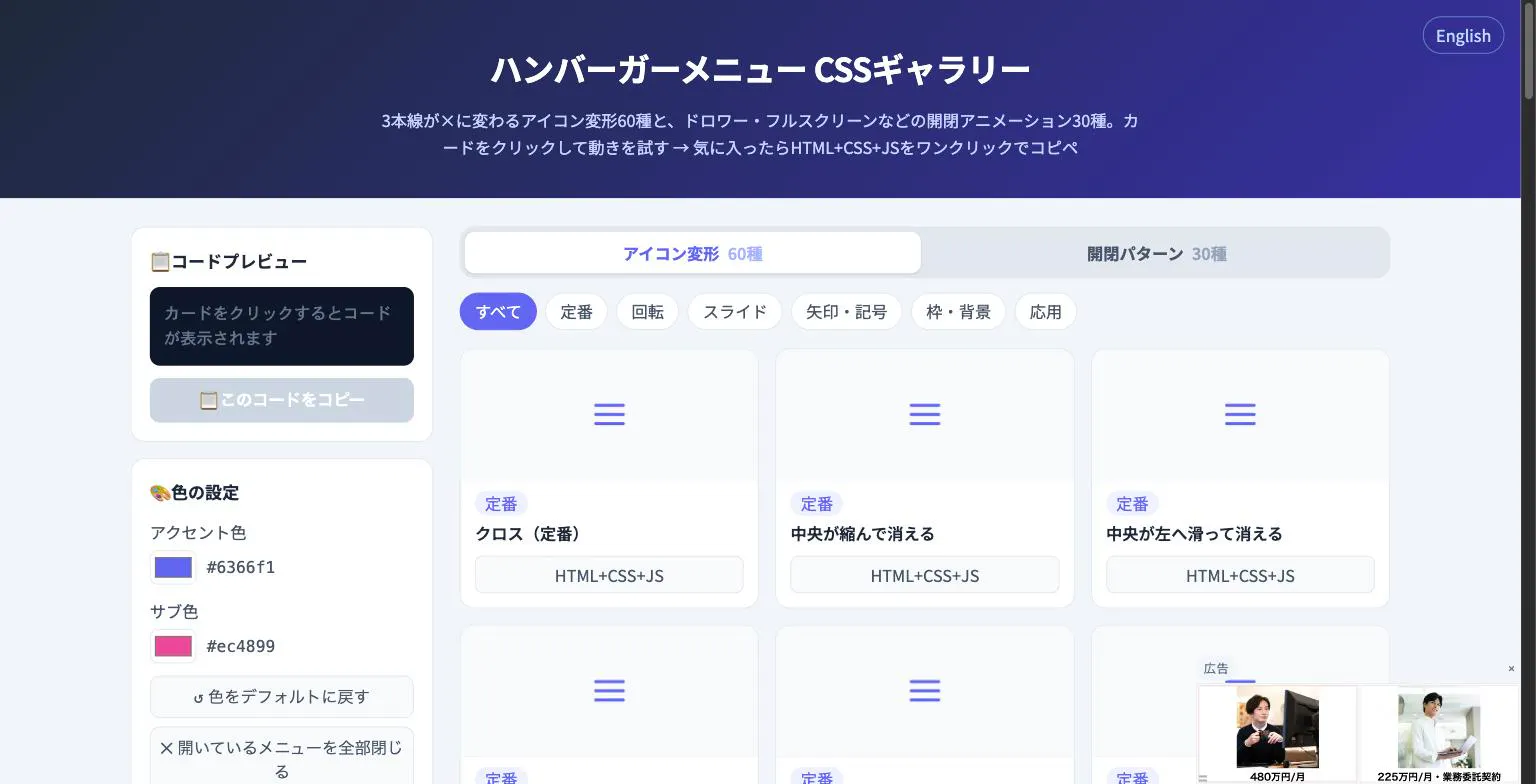 Hamburger Menu CSS Gallery Hamburger Menu CSS Gallery |
|---|---|---|
| Primary Category | Design Tools | Design Tools |
| Community Rating | No ratings(0 reviews) | No ratings(0 reviews) |
| Community Upvotes | 7 votes | 5 votes |
| Supported Platforms | Web | Web |
| Tags & Focus | #Developer Tools#No-Code#Design Tools | #Developer Tools#Design Tools |
| Maker / Company | Independent Developer | Independent Developer |
| Platform Verification | Community Listing | Community Listing |
About Planby For Framer
Planby For Framer is a powerful design and developer tool built specifically for the Framer ecosystem, allowing creators to build interactive schedules effortlessly. Whether you are organizing a multi-track conference agenda, a festival timeline, a broadcasting TV guide, or a structured event program, Planby provides the flexibility needed to bring your schedule to life directly within your site design.
With deep customization options, you can easily tailor the design, layout, tracks, times, and imagery to match your unique brand identity. Furthermore, the inclusion of the Planby CMS Sync plugin enables seamless connection between Framer CMS and your schedule, making it simple to manage content natively in the CMS and sync updates directly to your live schedule.
Pros of Planby For Framer
- Build interactive schedules and timelines directly within Framer
- Extensively customizable layouts, tracks, times, images, and designs
- Includes Planby CMS Sync plugin for effortless Framer CMS integration
- Ideal for conference agendas, festival timelines, TV guides, and event programs
Cons of Planby For Framer
- Specific to the Framer platform
- Requires familiarity with Framer and its CMS workflows
Frequently Asked Questions
What can I build with Planby For Framer?
You can build interactive schedules, conference agendas, festival timelines, TV guides, and event programs directly inside Framer.
Can I customize the design and layout?
Yes, Planby allows you to fully customize the design, layout, tracks, times, images, and more to fit your project's needs.
How does content management work with Framer CMS?
You can connect Framer CMS using the Planby CMS Sync plugin, enabling you to manage your schedule content right inside the CMS and sync it directly to your schedule.
About Hamburger Menu CSS Gallery
Hamburger Menu CSS Gallery is a specialized developer and design tool created to simplify the implementation of navigation toggles. It features a curated collection of 90 copy-paste CSS hamburger menu options, including 60 unique icon morph effects—such as standard three-line transformations into an X—and 30 open/close container animations like drawers, fullscreen overlays, and circular reveals.
Designed for efficiency, the platform allows users to test effects live directly in the browser. Developers can customize accent colors and copy the required HTML, CSS, and JavaScript with a single click. Best of all, the tool requires no external libraries and no sign-up process, making it an immediate, frictionless addition to any web developer's toolkit.
Pros of Hamburger Menu CSS Gallery
- Includes 90 total copy-paste CSS hamburger menu styles and toggle animations
- Offers 60 distinct icon morph effects and 30 open/close container animations
- Live in-browser preview with customizable accent colors
- Requires no external libraries or user registration/sign-up
Cons of Hamburger Menu CSS Gallery
- Focused exclusively on hamburger menus and toggle animations
- Limited information on advanced framework integrations based on available metadata
Frequently Asked Questions
What is Hamburger Menu CSS Gallery?
It is a developer and design tool featuring 90 copy-paste CSS hamburger menu options, split between 60 icon morph effects and 30 open/close toggle animations.
Do I need to sign up or use external libraries?
No sign-up is required, and the components do not rely on external libraries. You can preview everything live in the browser and copy the code with a single click.
What types of animations are included?
The gallery includes 60 icon morph effects (such as lines turning into an X) and 30 open/close animations including drawer, fullscreen, and circular reveal effects.