
Pathrule Studio vs Hamburger Menu CSS Gallery
Comprehensive feature analysis, ratings breakdown, platform compatibility, and community review comparison.

Pathrule Studio
Context and workflows for AI coding agents
Detailed Feature Comparison Matrix
Compare Other Tools| Dimension | Pathrule Studio | 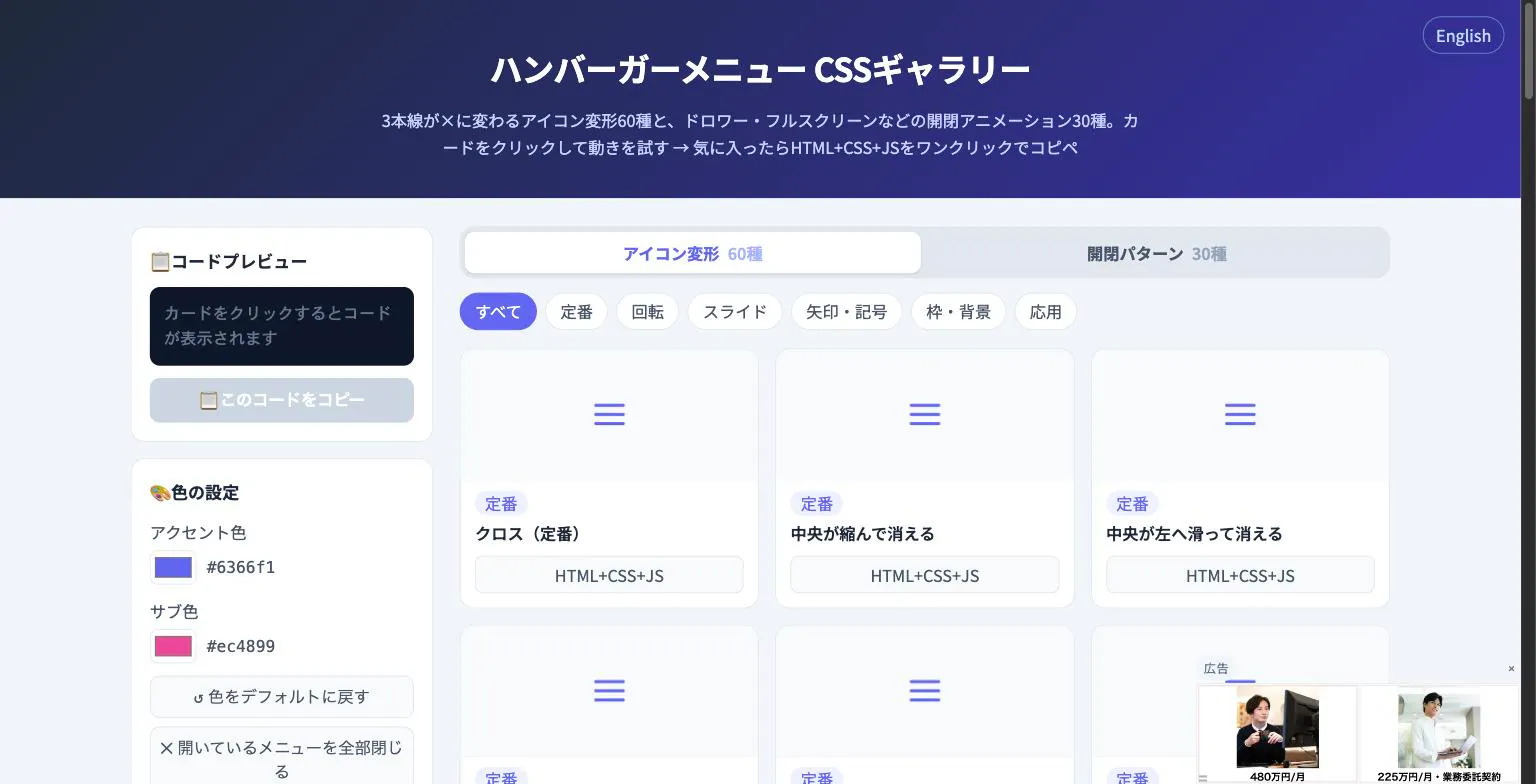 Hamburger Menu CSS Gallery |
|---|---|---|
| Primary Category | Design Tools | Design Tools |
| Community Rating | No ratings(0 reviews) | No ratings(0 reviews) |
| Community Upvotes | 10 votes | 5 votes |
| Supported Platforms | Web | Web |
| Tags & Focus | #Artificial Intelligence#Developer Tools#GitHub#Design Tools | #Developer Tools#Design Tools |
| Maker / Company | Independent Developer | Independent Developer |
| Platform Verification | Community Listing | Community Listing |
About Pathrule Studio
Pathrule Studio is an AI-native workspace built to streamline product development from end to end. By centralizing design, implementation, team knowledge, and live production feedback, it provides an integrated environment where AI coding agents can operate with the full context of a product.
The platform enables developers and teams to design real interfaces, execute coding tasks using multiple AI agents—such as Claude Code, Codex, and Grok—and divide development efforts into parallel task streams. This eliminates the siloed context typical of modern toolchains.
A standout feature of Pathrule Studio is its focus on continuous context. The workspace preserves project memory and governance rules, ensuring that AI agents work within established product guidelines. Furthermore, its production Signals feature routes real-world issues directly back to the AI, allowing agents to iterate and resolve bugs based on production-level data.
Pros of Pathrule Studio
- Supports multiple AI coding agents, including Claude Code, Codex, and Grok
- Preserves project memory and context rules across design, code, and production
- Allows parallel task execution for more efficient development workflows
- Uses production Signals to funnel real-world issues directly back to AI agents
Cons of Pathrule Studio
- Requires teams to adapt their workflows to an agent-centric development paradigm
- Pricing tiers and plan specifics are not detailed in the available metadata
- Relies on external AI models and agent availability for coding execution
Frequently Asked Questions
What is Pathrule Studio?
Pathrule Studio is an AI-native workspace designed for end-to-end product creation. It unifies interface design, agent-assisted coding, team context, and production feedback into a single environment.
Which AI agents can you run in Pathrule Studio?
Pathrule Studio is designed to run various AI coding agents, explicitly highlighting support for Claude Code, Codex, and Grok, among others.
How does Pathrule Studio maintain project context?
Pathrule Studio retains project memory and design/code rules in context, while using production Signals to funnel live issues back to the AI workspace so every step builds on accrued product knowledge.
Can Pathrule Studio handle interface design?
Yes, Pathrule Studio includes capabilities to design real interfaces within the same workspace where code and AI agents are deployed.
About Hamburger Menu CSS Gallery
Hamburger Menu CSS Gallery is a specialized developer and design tool created to simplify the implementation of navigation toggles. It features a curated collection of 90 copy-paste CSS hamburger menu options, including 60 unique icon morph effects—such as standard three-line transformations into an X—and 30 open/close container animations like drawers, fullscreen overlays, and circular reveals.
Designed for efficiency, the platform allows users to test effects live directly in the browser. Developers can customize accent colors and copy the required HTML, CSS, and JavaScript with a single click. Best of all, the tool requires no external libraries and no sign-up process, making it an immediate, frictionless addition to any web developer's toolkit.
Pros of Hamburger Menu CSS Gallery
- Includes 90 total copy-paste CSS hamburger menu styles and toggle animations
- Offers 60 distinct icon morph effects and 30 open/close container animations
- Live in-browser preview with customizable accent colors
- Requires no external libraries or user registration/sign-up
Cons of Hamburger Menu CSS Gallery
- Focused exclusively on hamburger menus and toggle animations
- Limited information on advanced framework integrations based on available metadata
Frequently Asked Questions
What is Hamburger Menu CSS Gallery?
It is a developer and design tool featuring 90 copy-paste CSS hamburger menu options, split between 60 icon morph effects and 30 open/close toggle animations.
Do I need to sign up or use external libraries?
No sign-up is required, and the components do not rely on external libraries. You can preview everything live in the browser and copy the code with a single click.
What types of animations are included?
The gallery includes 60 icon morph effects (such as lines turning into an X) and 30 open/close animations including drawer, fullscreen, and circular reveal effects.