
Notate vs Hamburger Menu CSS Gallery
Comprehensive feature analysis, ratings breakdown, platform compatibility, and community review comparison.
Detailed Feature Comparison Matrix
Compare Other Tools| Dimension |  Notate Notate | 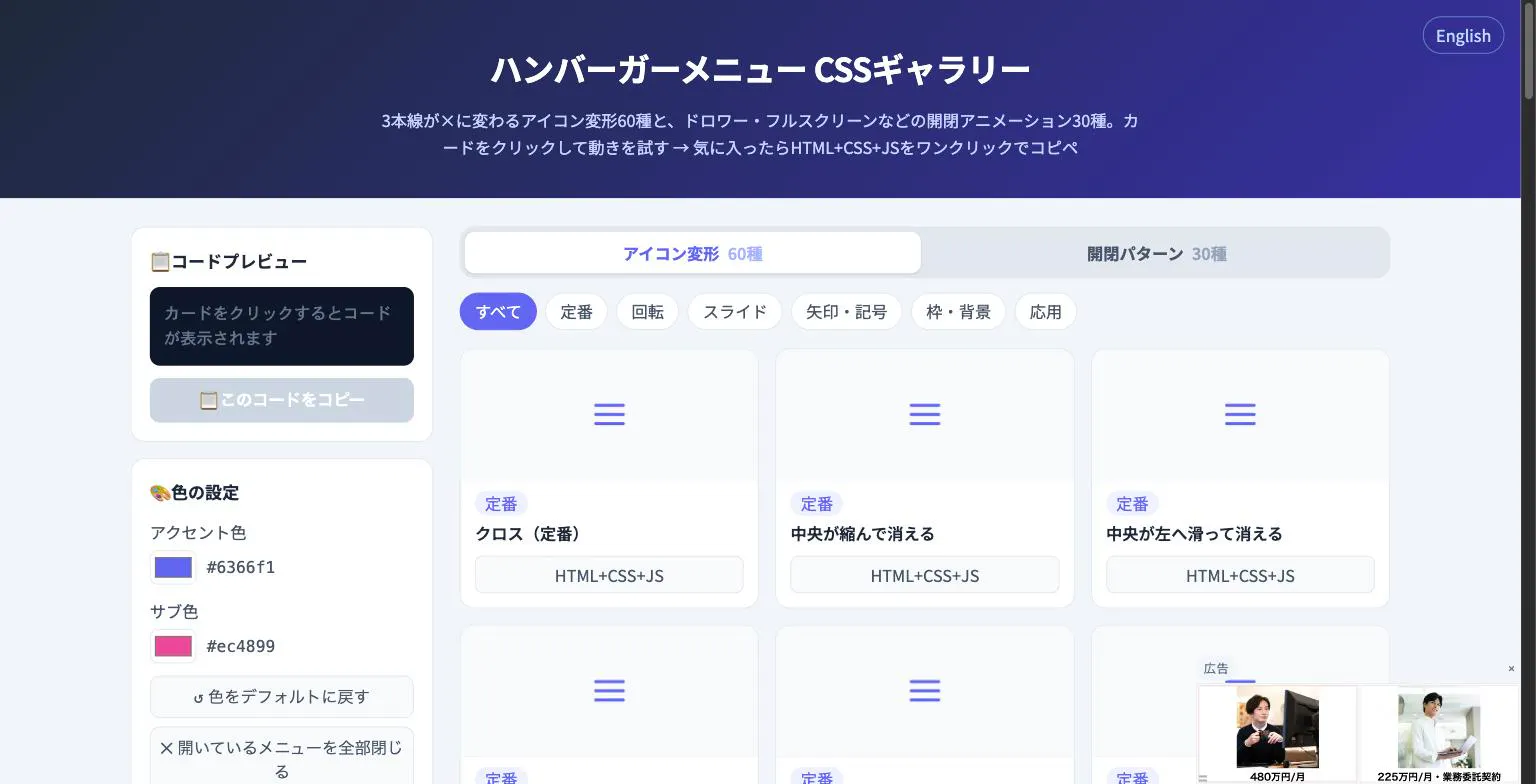 Hamburger Menu CSS Gallery Hamburger Menu CSS Gallery |
|---|---|---|
| Primary Category | Design Tools | Design Tools |
| Community Rating | No ratings(0 reviews) | No ratings(0 reviews) |
| Community Upvotes | 106 votes | 5 votes |
| Supported Platforms | Web | Web |
| Tags & Focus | #Developer Tools#GitHub#Menu Bar Apps#Design Tools | #Developer Tools#Design Tools |
| Maker / Company | Independent Developer | Independent Developer |
| Platform Verification | Community Listing | Community Listing |
About Notate
Notate is an annotation and review tool built for scenarios where pointing beats describing, such as design and motion reviews, product walkthroughs, code reviews, and handoffs.
Unlike standard screenshot tools, Notate is designed to capture fleeting user interface moments. It freezes open menus, hover states, and focus states before they disappear. For motion and interaction design, it allows users to record a flow and pin the exact frame where an animation breaks.
Operating as a menu bar application, Notate incorporates gesture-based annotations to keep feedback fast and fluid. It also features smart cropping and reopenable sessions, which preserve the captured image, comments, and context so the feedback remains clear and actionable when shared with teammates or AI agents.
Pros of Notate
- Freezes temporary UI states like open menus, hover, and focus states
- Records interactive flows so you can pin the exact frame where an animation breaks
- Uses fast, gesture-based annotations to streamline reviews
- Preserves images, comments, and context with smart cropping and reopenable sessions
- Keeps feedback structured and useful for both human teammates and AI agents
Cons of Notate
- Primarily designed for visual and state-based feedback rather than general text-only documentation
- Currently lacks user reviews on its Product Hunt listing to evaluate long-term real-world performance
Frequently Asked Questions
What is Notate used for?
Notate is designed for design and motion reviews, product walkthroughs, code reviews, and handoffs—essentially any scenario where visually pointing to an issue is faster and more effective than describing it in writing.
How does Notate differ from standard screenshot tools?
Standard screenshot tools often fail to capture temporary UI elements. Notate solves this by freezing hover states, focus states, and open menus before they disappear. It also lets you record a flow to pin the precise frame where an animation or transition breaks.
What features help preserve the context of feedback?
Notate uses smart cropping and reopenable sessions to ensure that the image, your comments, and the broader context are preserved together. This prevents important details from being lost when the feedback is delivered to a teammate or an AI agent.
Is Notate available as a menu bar app?
Yes, Notate is categorized as a menu bar application, allowing you to quickly trigger it and keep your annotation workflow fast and seamless.
About Hamburger Menu CSS Gallery
Hamburger Menu CSS Gallery is a specialized developer and design tool created to simplify the implementation of navigation toggles. It features a curated collection of 90 copy-paste CSS hamburger menu options, including 60 unique icon morph effects—such as standard three-line transformations into an X—and 30 open/close container animations like drawers, fullscreen overlays, and circular reveals.
Designed for efficiency, the platform allows users to test effects live directly in the browser. Developers can customize accent colors and copy the required HTML, CSS, and JavaScript with a single click. Best of all, the tool requires no external libraries and no sign-up process, making it an immediate, frictionless addition to any web developer's toolkit.
Pros of Hamburger Menu CSS Gallery
- Includes 90 total copy-paste CSS hamburger menu styles and toggle animations
- Offers 60 distinct icon morph effects and 30 open/close container animations
- Live in-browser preview with customizable accent colors
- Requires no external libraries or user registration/sign-up
Cons of Hamburger Menu CSS Gallery
- Focused exclusively on hamburger menus and toggle animations
- Limited information on advanced framework integrations based on available metadata
Frequently Asked Questions
What is Hamburger Menu CSS Gallery?
It is a developer and design tool featuring 90 copy-paste CSS hamburger menu options, split between 60 icon morph effects and 30 open/close toggle animations.
Do I need to sign up or use external libraries?
No sign-up is required, and the components do not rely on external libraries. You can preview everything live in the browser and copy the code with a single click.
What types of animations are included?
The gallery includes 60 icon morph effects (such as lines turning into an X) and 30 open/close animations including drawer, fullscreen, and circular reveal effects.