
MeshaSec vs TenTags API & AI generate
Comprehensive feature analysis, ratings breakdown, platform compatibility, and community review comparison.
Detailed Feature Comparison Matrix
Compare Other Tools| Dimension |  MeshaSec | 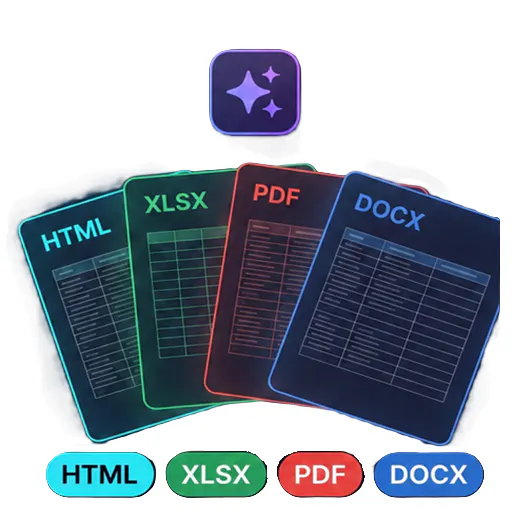 TenTags API & AI generate |
|---|---|---|
| Primary Category | API | API |
| Community Rating | No ratings(0 reviews) | No ratings(0 reviews) |
| Community Upvotes | 5 votes | 5 votes |
| Supported Platforms | Web | Web |
| Tags & Focus | #API#Software Engineering#Security | #Artificial Intelligence#Developer Tools#API |
| Maker / Company | Independent Developer | Independent Developer |
| Platform Verification | Community Listing | Community Listing |
About MeshaSec
MeshaSec is a powerful desktop application designed specifically for developers to find real security issues in web applications and APIs before they ship. Built with privacy and developer workflow in mind, MeshaSec operates entirely locally on your machine, ensuring that your code, credentials, and scan data never leave your computer.
The application excels at scanning complex, authenticated areas by leveraging forms, OAuth, JSON Web Tokens (JWTs), cookies, and more. Furthermore, it allows you to test multiple user roles to catch permission and authorization flaws early. To bridge the gap between identification and remediation, MeshaSec integrates AI to clearly explain every vulnerability and finding it uncovers.
Pros of MeshaSec
- Runs 100% locally to keep code, credentials, and scan data private
- Scans authenticated areas using forms, OAuth, JWTs, and cookies
- Tests multiple user roles for robust access control checks
- AI-powered explanations for every security finding
Cons of MeshaSec
- Currently restricted to a desktop application format
- Limited feature and platform availability details outside of core desktop scanning
Frequently Asked Questions
What is MeshaSec?
MeshaSec is a desktop application built for developers to test web applications and APIs for real security issues before deployment.
Is my code and scan data secure with MeshaSec?
Yes. Everything runs locally on your machine, ensuring your code, credentials, and scan data never leave your computer.
Can MeshaSec scan authenticated areas?
Yes, MeshaSec can scan authenticated areas using forms, OAuth, JWTs, cookies, and more, as well as test multiple user roles.
How does MeshaSec help explain vulnerabilities?
MeshaSec uses AI to explain every single finding it uncovers during the security testing process.
About TenTags API & AI generate
TenTags API & AI generate is an API-first document generation tool designed to streamline how developers and teams create structured files. By leveraging declarative Style/Data CSV templates, TenTags allows users to transform templates into HTML, PDF, XLSX, or DOCX files through a single authenticated endpoint.
Built for developer efficiency, the platform features a web playground where you can easily build and preview your templates before deploying them. Once ready, you can remotely generate documents from any backend system or via the command line interface (CLI), making it a flexible solution for modern software workflows.
Pros of TenTags API & AI generate
- API-first approach allows remote document generation from any backend or CLI
- Supports multiple popular output formats including HTML, PDF, XLSX, and DOCX
- Declarative Style/Data CSV templates simplify the document layout process
- Includes a web playground to build and preview templates in real time
Cons of TenTags API & AI generate
- Requires familiarity with API integrations and backend development
- Relies on declarative Style/Data CSV templates which may require a learning curve
- Limited documentation/details outside of core template-to-document conversion features
Frequently Asked Questions
What output formats does TenTags API support?
TenTags API supports generating documents in HTML, PDF, XLSX, and DOCX formats.
How do you create and test documents?
You can build and preview your declarative Style/Data CSV templates using the web playground, and then generate the final documents remotely from any backend or CLI via a single authenticated endpoint.
Who is this tool built for?
TenTags is designed primarily as a developer tool for software engineers and teams needing programmatic, API-driven document generation.