
Kavela vs Hamburger Menu CSS Gallery
Comprehensive feature analysis, ratings breakdown, platform compatibility, and community review comparison.
Detailed Feature Comparison Matrix
Compare Other Tools| Dimension |  Kavela Kavela | 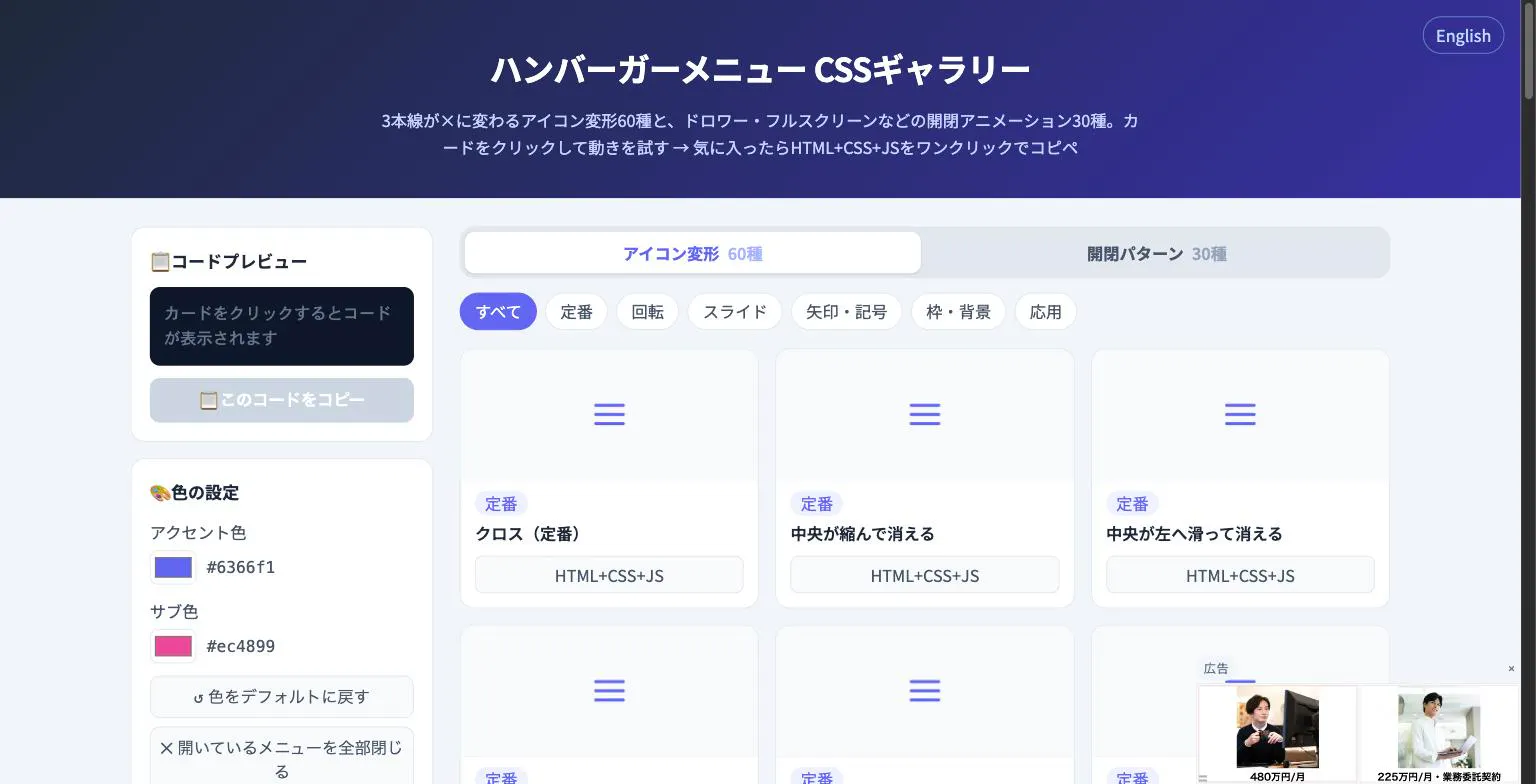 Hamburger Menu CSS Gallery Hamburger Menu CSS Gallery |
|---|---|---|
| Primary Category | Design Tools | Design Tools |
| Community Rating | No ratings(0 reviews) | No ratings(0 reviews) |
| Community Upvotes | 6 votes | 5 votes |
| Supported Platforms | Web | Web |
| Tags & Focus | #Artificial Intelligence#Tech#Design Tools | #Developer Tools#Design Tools |
| Maker / Company | Independent Developer | Independent Developer |
| Platform Verification | Community Listing | Community Listing |
About Kavela
Kavela is an innovative AI infrastructure and agent platform designed to solve one of the biggest challenges in working with artificial intelligence: maintenance and hosting. While building an AI agent can take just minutes, keeping it alive, functional, and hosted reliably usually requires dedicated engineering resources. Kavela solves this by building, hosting, and running always-on agents directly inside communication tools like Slack and Telegram.
With Kavela, nothing is strictly preset. If an agent is missing a capability or requires a workflow change, users can simply instruct the agent to change, and it adapts dynamically without the need for traditional software feature requests. Security is also a core priority: user API keys stay securely isolated in inline cards and never touch the agent directly. Furthermore, agents share a unified organizational file system, making collaboration seamless. Proven at scale, early adopters across 50 organizations have successfully built 400 agents, executing over 20,000 automated runs autonomously.
Pros of Kavela
- Always-on agents that run continuously without manual supervision
- Seamless integration with popular communication platforms Telegram and Slack
- Dynamic, conversational updates—tell your agent to change and it adapts immediately
- Enhanced security with API keys staying in inline cards and never touching the agent
- Shared organizational file system for better agent collaboration
Cons of Kavela
- Limited to Slack and Telegram integrations based on current platform scope
- Requires initial descriptive prompt engineering to set up custom workflows
- Relies on organization-wide file systems which may require careful access structuring
Frequently Asked Questions
What is Kavela?
Kavela is an AI tool and infrastructure platform that builds, hosts, and runs always-on AI agents directly inside Telegram and Slack, eliminating the need for ongoing engineering maintenance.
Where do Kavela agents run?
Kavela agents run continuously (always-on) within Slack and Telegram workplaces.
How do you update or modify a Kavela agent?
Nothing is preset; if an agent is missing something, you can simply tell it to change, and the agent modifies itself without requiring formal feature requests or manual code rewrites.
How does Kavela handle sensitive API keys?
Your API keys stay securely inside inline cards and never touch the agent directly, ensuring enhanced security.
About Hamburger Menu CSS Gallery
Hamburger Menu CSS Gallery is a specialized developer and design tool created to simplify the implementation of navigation toggles. It features a curated collection of 90 copy-paste CSS hamburger menu options, including 60 unique icon morph effects—such as standard three-line transformations into an X—and 30 open/close container animations like drawers, fullscreen overlays, and circular reveals.
Designed for efficiency, the platform allows users to test effects live directly in the browser. Developers can customize accent colors and copy the required HTML, CSS, and JavaScript with a single click. Best of all, the tool requires no external libraries and no sign-up process, making it an immediate, frictionless addition to any web developer's toolkit.
Pros of Hamburger Menu CSS Gallery
- Includes 90 total copy-paste CSS hamburger menu styles and toggle animations
- Offers 60 distinct icon morph effects and 30 open/close container animations
- Live in-browser preview with customizable accent colors
- Requires no external libraries or user registration/sign-up
Cons of Hamburger Menu CSS Gallery
- Focused exclusively on hamburger menus and toggle animations
- Limited information on advanced framework integrations based on available metadata
Frequently Asked Questions
What is Hamburger Menu CSS Gallery?
It is a developer and design tool featuring 90 copy-paste CSS hamburger menu options, split between 60 icon morph effects and 30 open/close toggle animations.
Do I need to sign up or use external libraries?
No sign-up is required, and the components do not rely on external libraries. You can preview everything live in the browser and copy the code with a single click.
What types of animations are included?
The gallery includes 60 icon morph effects (such as lines turning into an X) and 30 open/close animations including drawer, fullscreen, and circular reveal effects.