
Hamburger Menu CSS Gallery vs Rhetis
Comprehensive feature analysis, ratings breakdown, platform compatibility, and community review comparison.
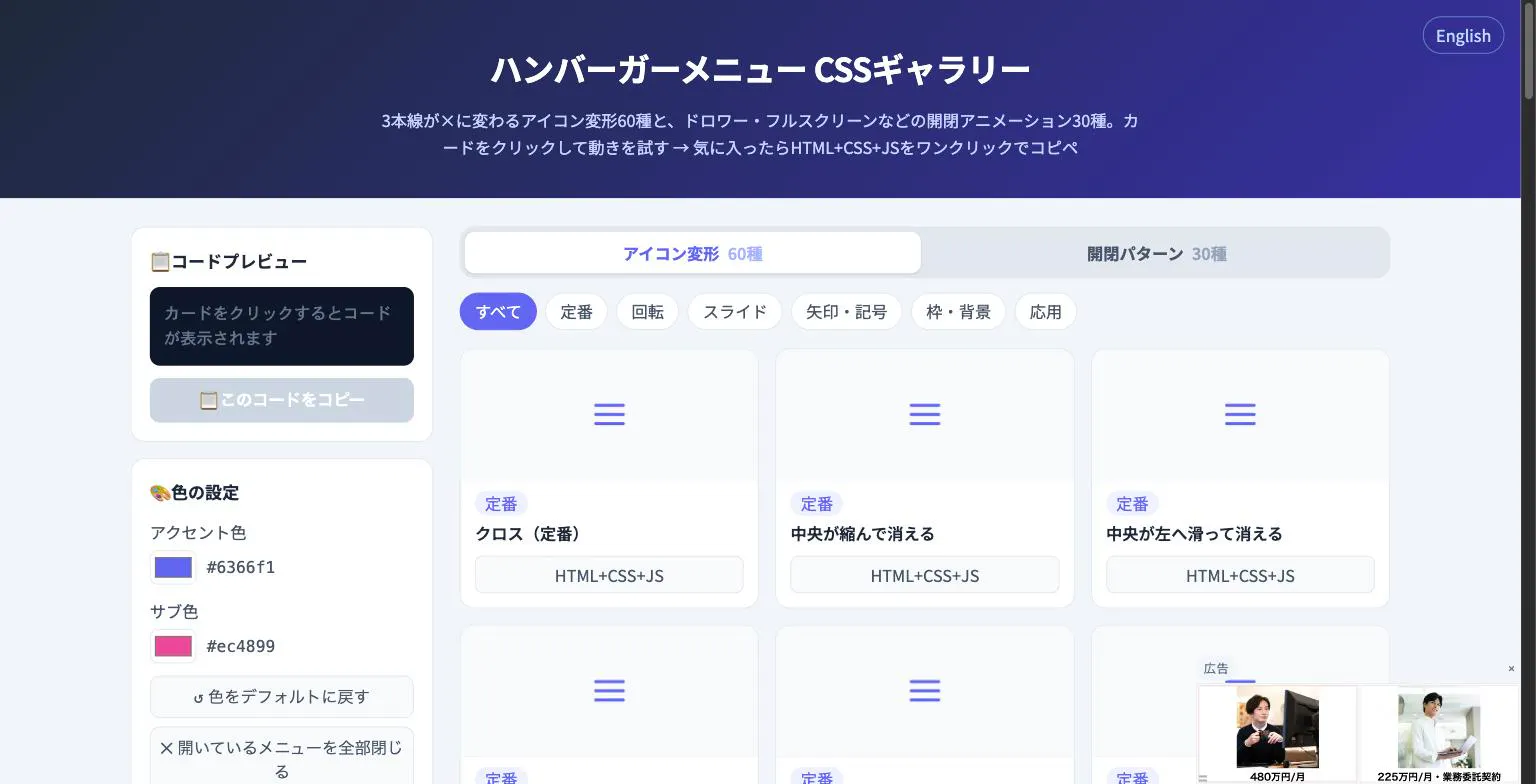
Hamburger Menu CSS Gallery
90 copy-paste CSS hamburger menu icon and toggle animations
Detailed Feature Comparison Matrix
Compare Other Tools| Dimension | Hamburger Menu CSS Gallery |  Rhetis Rhetis |
|---|---|---|
| Primary Category | Design Tools | Design Tools |
| Community Rating | No ratings(0 reviews) | No ratings(0 reviews) |
| Community Upvotes | 5 votes | 8 votes |
| Supported Platforms | Web | Web |
| Tags & Focus | #Developer Tools#Design Tools | #Artificial Intelligence#Productivity#Design Tools |
| Maker / Company | Independent Developer | Independent Developer |
| Platform Verification | Community Listing | Community Listing |
About Hamburger Menu CSS Gallery
Hamburger Menu CSS Gallery is a specialized developer and design tool created to simplify the implementation of navigation toggles. It features a curated collection of 90 copy-paste CSS hamburger menu options, including 60 unique icon morph effects—such as standard three-line transformations into an X—and 30 open/close container animations like drawers, fullscreen overlays, and circular reveals.
Designed for efficiency, the platform allows users to test effects live directly in the browser. Developers can customize accent colors and copy the required HTML, CSS, and JavaScript with a single click. Best of all, the tool requires no external libraries and no sign-up process, making it an immediate, frictionless addition to any web developer's toolkit.
Pros of Hamburger Menu CSS Gallery
- Includes 90 total copy-paste CSS hamburger menu styles and toggle animations
- Offers 60 distinct icon morph effects and 30 open/close container animations
- Live in-browser preview with customizable accent colors
- Requires no external libraries or user registration/sign-up
Cons of Hamburger Menu CSS Gallery
- Focused exclusively on hamburger menus and toggle animations
- Limited information on advanced framework integrations based on available metadata
Frequently Asked Questions
What is Hamburger Menu CSS Gallery?
It is a developer and design tool featuring 90 copy-paste CSS hamburger menu options, split between 60 icon morph effects and 30 open/close toggle animations.
Do I need to sign up or use external libraries?
No sign-up is required, and the components do not rely on external libraries. You can preview everything live in the browser and copy the code with a single click.
What types of animations are included?
The gallery includes 60 icon morph effects (such as lines turning into an X) and 30 open/close animations including drawer, fullscreen, and circular reveal effects.
About Rhetis
Rhetis is an AI-powered presentation agent designed to transform scattered sources, rough ideas, notes, and PDFs into structured, professional slide decks. Instead of spending hours organizing content and formatting layouts, users can rely on Rhetis to analyze their source material, build a cohesive storyline, and outline a logical slide structure automatically.
Currently available in beta, Rhetis focuses on productivity and design assistance by allowing users to refine the generated deck and easily export their final presentations to standard formats like PPTX or PDF. It bridges the gap between raw data collection and final presentation design.
Pros of Rhetis
- Turns scattered sources, notes, and PDFs into structured presentations automatically
- Builds a logical storyline and slide structure using AI
- Allows users to edit and refine the generated slides
- Supports export to standard formats like PPTX and PDF
Cons of Rhetis
- Currently in beta, which may mean ongoing feature updates and changes
- Limited details regarding advanced formatting or third-party integrations beyond export options
Frequently Asked Questions
What is Rhetis?
Rhetis is an AI presentation agent that analyzes scattered sources, documents, PDFs, notes, and rough ideas to build structured, editable slide decks.
Can I edit the presentations created by Rhetis?
Yes, Rhetis creates a deck that you can refine and edit before exporting.
What export formats are supported by Rhetis?
You can export your finished presentations to PPTX or PDF formats.
Is Rhetis available to the public?
Yes, Rhetis is currently available in beta.