
Hamburger Menu CSS Gallery vs Motionly
Comprehensive feature analysis, ratings breakdown, platform compatibility, and community review comparison.
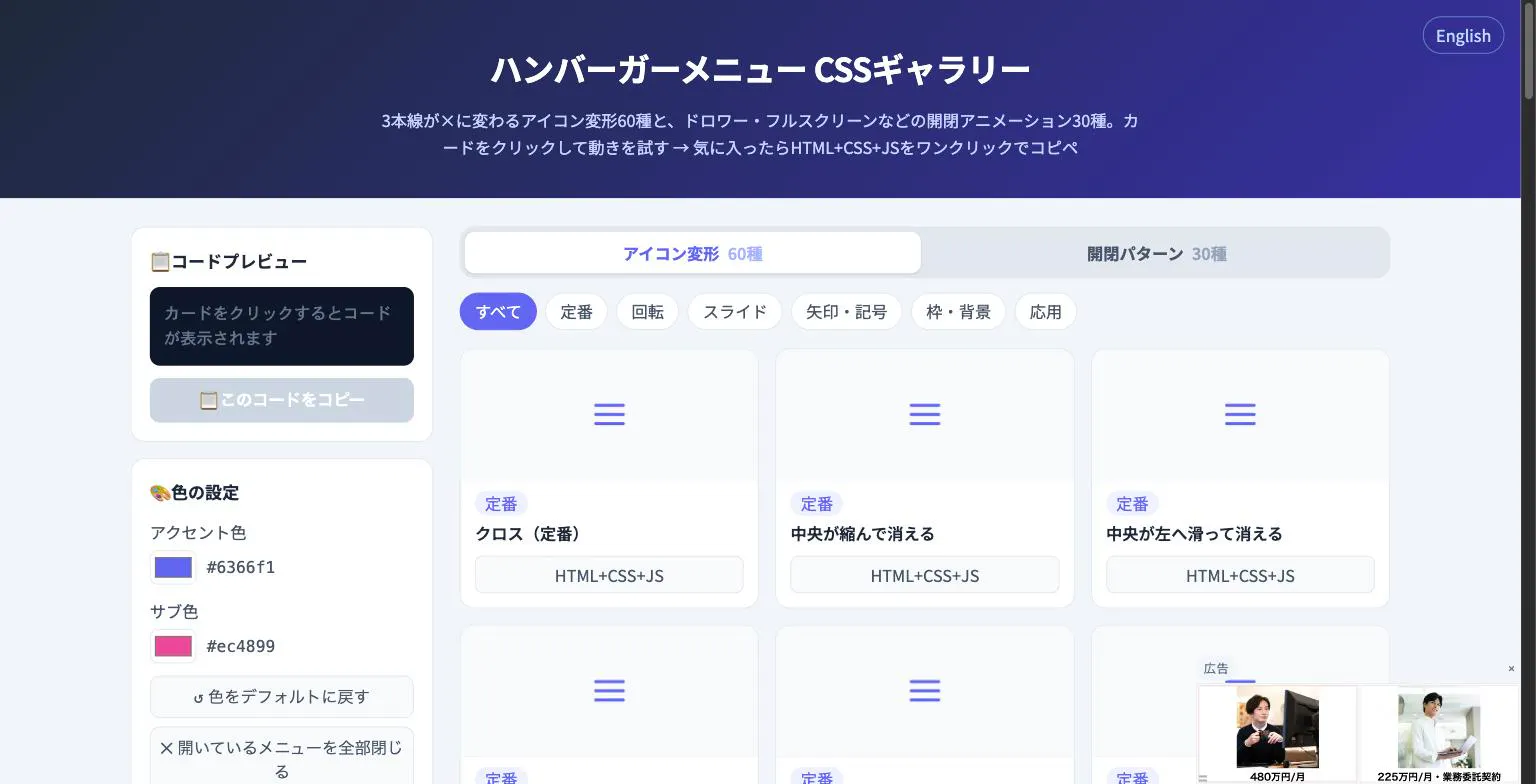
Hamburger Menu CSS Gallery
90 copy-paste CSS hamburger menu icon and toggle animations
Detailed Feature Comparison Matrix
Compare Other Tools| Dimension | Hamburger Menu CSS Gallery |  Motionly Motionly |
|---|---|---|
| Primary Category | Design Tools | Design Tools |
| Community Rating | No ratings(0 reviews) | No ratings(0 reviews) |
| Community Upvotes | 5 votes | 88 votes |
| Supported Platforms | Web | Web |
| Tags & Focus | #Developer Tools#Design Tools | #Open Source#GitHub#Design Tools#OpenAI Day |
| Maker / Company | Independent Developer | Independent Developer |
| Platform Verification | Community Listing | Community Listing |
About Hamburger Menu CSS Gallery
Hamburger Menu CSS Gallery is a specialized developer and design tool created to simplify the implementation of navigation toggles. It features a curated collection of 90 copy-paste CSS hamburger menu options, including 60 unique icon morph effects—such as standard three-line transformations into an X—and 30 open/close container animations like drawers, fullscreen overlays, and circular reveals.
Designed for efficiency, the platform allows users to test effects live directly in the browser. Developers can customize accent colors and copy the required HTML, CSS, and JavaScript with a single click. Best of all, the tool requires no external libraries and no sign-up process, making it an immediate, frictionless addition to any web developer's toolkit.
Pros of Hamburger Menu CSS Gallery
- Includes 90 total copy-paste CSS hamburger menu styles and toggle animations
- Offers 60 distinct icon morph effects and 30 open/close container animations
- Live in-browser preview with customizable accent colors
- Requires no external libraries or user registration/sign-up
Cons of Hamburger Menu CSS Gallery
- Focused exclusively on hamburger menus and toggle animations
- Limited information on advanced framework integrations based on available metadata
Frequently Asked Questions
What is Hamburger Menu CSS Gallery?
It is a developer and design tool featuring 90 copy-paste CSS hamburger menu options, split between 60 icon morph effects and 30 open/close toggle animations.
Do I need to sign up or use external libraries?
No sign-up is required, and the components do not rely on external libraries. You can preview everything live in the browser and copy the code with a single click.
What types of animations are included?
The gallery includes 60 icon morph effects (such as lines turning into an X) and 30 open/close animations including drawer, fullscreen, and circular reveal effects.
About Motionly
Motionly is an innovative, open-source motion graphics editor built specifically for the AI era. Traditional AI video generators typically output static, black-box video files that are notoriously difficult to edit. Motionly takes a fundamentally different approach by having AI generate fully editable motion files instead.
By combining a powerful visual editor with a structured animation format, Motionly makes motion graphics entirely versionable, reusable, and customizable. Users can refine animations either visually or directly through code. This structured framework bridges the gap between developers, designers, and AI agents, enabling seamless collaboration on motion design projects.
Pros of Motionly
- Open-source and developer-friendly with GitHub integration
- AI generates structured, fully editable motion files instead of uneditable final videos
- Allows smooth refinement of animations both visually and via code
- Enhances collaboration between designers, developers, and AI agents
- Makes motion graphics versionable and reusable
Cons of Motionly
- Does not generate direct final video outputs out of the box without using motion files
- Requires familiarity with design or code structures for deep refinement
- Relies on a specialized animation format that may require a learning curve
Frequently Asked Questions
What is Motionly?
Motionly is an open-source motion graphics editor built for the AI era. Instead of generating direct videos, it uses AI to create structured, editable motion files that can be refined visually or in code.
Is Motionly open source?
Yes, Motionly is an open-source tool with code and resources accessible via GitHub.
Who can collaborate using Motionly?
Motionly is designed to make it easier for developers, designers, and AI agents to collaborate on motion graphics by utilizing a structured animation format.