
flexiberry vs TenTags API & AI generate
Comprehensive feature analysis, ratings breakdown, platform compatibility, and community review comparison.

flexiberry
Open-source, Lightweight HTTP client & API testing framework
Detailed Feature Comparison Matrix
Compare Other Tools| Dimension | flexiberry | 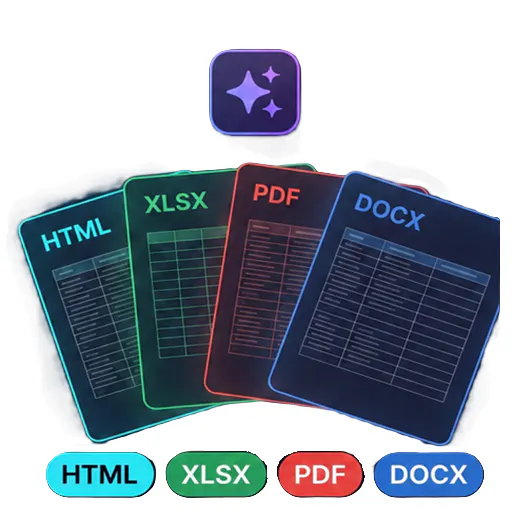 TenTags API & AI generate |
|---|---|---|
| Primary Category | API | API |
| Community Rating | No ratings(0 reviews) | No ratings(0 reviews) |
| Community Upvotes | 5 votes | 5 votes |
| Supported Platforms | Web | Web |
| Tags & Focus | #Developer Tools#Open Source#GitHub#API | #Artificial Intelligence#Developer Tools#API |
| Maker / Company | Independent Developer | Independent Developer |
| Platform Verification | Community Listing | Community Listing |
About flexiberry
FlexiBerry is an open-source, lightweight HTTP client and API testing framework designed to streamline API development and testing workflows. Created for modern software developers, it focuses on making API testing faster, more readable, and highly maintainable across local development setups and CI/CD pipelines.
Core features include the ability to chain dependent API requests, validate server responses, and seamlessly manage environment configurations. FlexiBerry uses its own intuitive Berry scripting language to help developers automate complex API workflows with ease.
FlexiBerry fits flexibly into any developer toolchain, offering accessibility through a modern Web app, a command-line interface (CLI), and dedicated IDE extensions.
Pros of flexiberry
- Open-source and lightweight API testing framework
- Uses the custom, intuitive Berry scripting language for workflow automation
- Supports chaining dependent API requests and validating responses
- Flexible deployment across Web, CLI, and IDE extensions
- Designed for easy integration into local development and CI/CD pipelines
Cons of flexiberry
- Requires learning the custom Berry scripting language for advanced workflows
- Relatively new tool with a smaller community footprint
Frequently Asked Questions
What is FlexiBerry?
FlexiBerry is an open-source, lightweight HTTP client and API testing framework built to help developers test, chain, validate, and automate API workflows.
What platforms and interfaces does FlexiBerry offer?
FlexiBerry is accessible as a modern Web application, a CLI (Command Line Interface), and IDE extensions.
What is the Berry scripting language?
Berry scripting language is an intuitive language used within FlexiBerry to automate workflows, chain dependent API requests, and validate response data.
Can FlexiBerry be used in CI/CD pipelines?
Yes, FlexiBerry is built for seamless use in both local development environments and automated CI/CD pipelines.
About TenTags API & AI generate
TenTags API & AI generate is an API-first document generation tool designed to streamline how developers and teams create structured files. By leveraging declarative Style/Data CSV templates, TenTags allows users to transform templates into HTML, PDF, XLSX, or DOCX files through a single authenticated endpoint.
Built for developer efficiency, the platform features a web playground where you can easily build and preview your templates before deploying them. Once ready, you can remotely generate documents from any backend system or via the command line interface (CLI), making it a flexible solution for modern software workflows.
Pros of TenTags API & AI generate
- API-first approach allows remote document generation from any backend or CLI
- Supports multiple popular output formats including HTML, PDF, XLSX, and DOCX
- Declarative Style/Data CSV templates simplify the document layout process
- Includes a web playground to build and preview templates in real time
Cons of TenTags API & AI generate
- Requires familiarity with API integrations and backend development
- Relies on declarative Style/Data CSV templates which may require a learning curve
- Limited documentation/details outside of core template-to-document conversion features
Frequently Asked Questions
What output formats does TenTags API support?
TenTags API supports generating documents in HTML, PDF, XLSX, and DOCX formats.
How do you create and test documents?
You can build and preview your declarative Style/Data CSV templates using the web playground, and then generate the final documents remotely from any backend or CLI via a single authenticated endpoint.
Who is this tool built for?
TenTags is designed primarily as a developer tool for software engineers and teams needing programmatic, API-driven document generation.