
Finsee : Budget & Forecast vs LoopBudget
Comprehensive feature analysis, ratings breakdown, platform compatibility, and community review comparison.
Detailed Feature Comparison Matrix
Compare Other Tools| Dimension |  Finsee : Budget & Forecast | 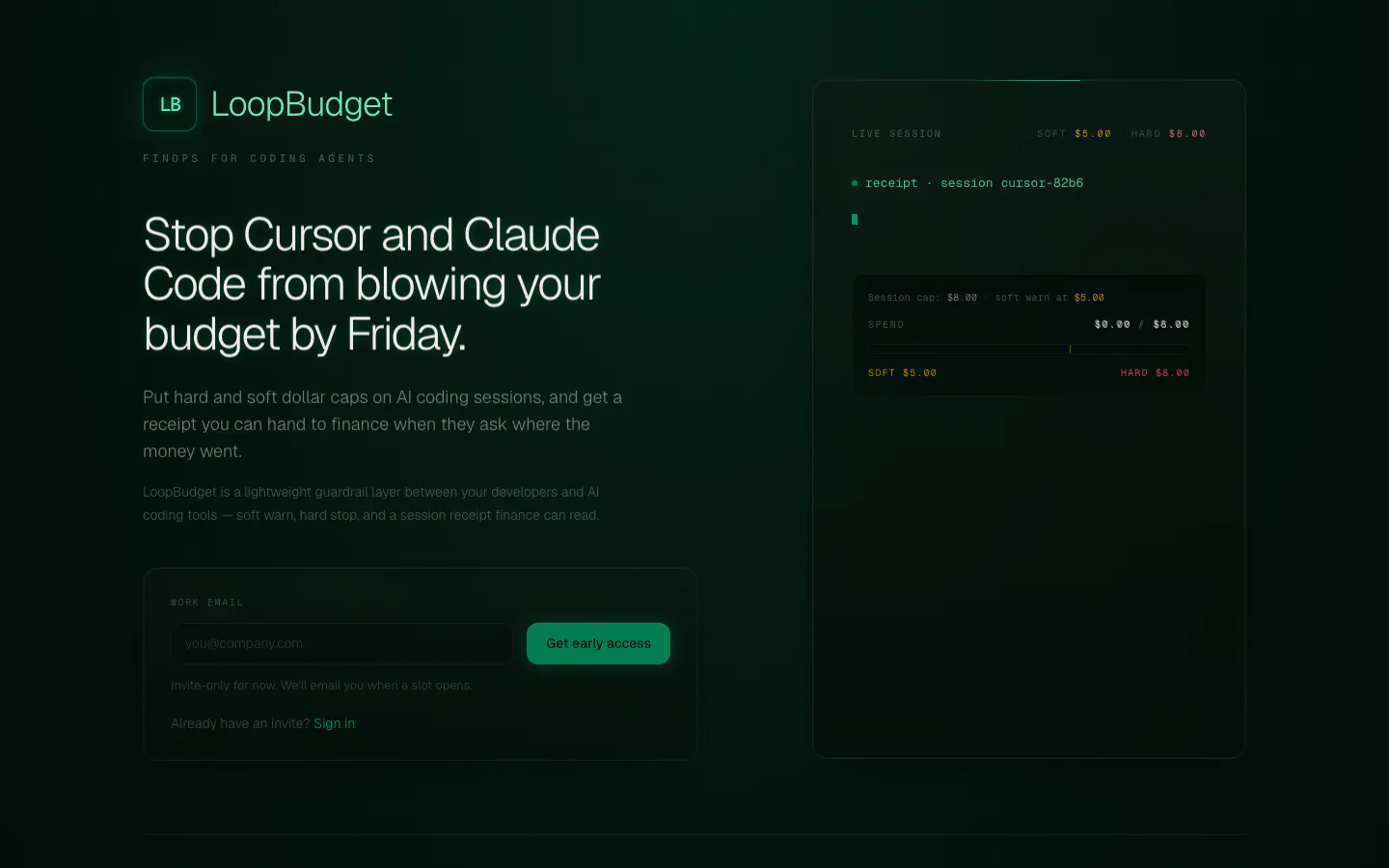 LoopBudget |
|---|---|---|
| Primary Category | Fintech | Fintech |
| Community Rating | No ratings(0 reviews) | No ratings(0 reviews) |
| Community Upvotes | 9 votes | 5 votes |
| Supported Platforms | Web | Web |
| Tags & Focus | #Artificial Intelligence#Fintech#Personal Finance | #Artificial Intelligence#Developer Tools#Fintech |
| Maker / Company | Independent Developer | Independent Developer |
| Platform Verification | Community Listing | Community Listing |
About Finsee : Budget & Forecast
Finsee : Budget & Forecast is a personal finance and fintech application designed to help users project their financial future. Rather than only looking back at past spending, Finsee focuses on forward-looking projection with the core philosophy: "See tomorrow's balance, today."
The tool works by allowing you to input your recurring income, expenses, and active subscriptions. Alternatively, you can choose to connect your bank account directly to automate the process. Once your financial details are entered, Finsee projects your future balances forward, displaying them clearly on a calendar format.
In addition to standard tracking and forecasting, Finsee features a decision simulator. This feature lets you model major purchases or financial shifts before making them, showing you exactly how those choices will impact your bank balance over the coming days, weeks, and months.
Pros of Finsee : Budget & Forecast
- Projects your future bank balance forward on a visual calendar.
- Allows you to simulate major financial decisions before committing to them.
- Flexible input options with both manual entry and optional bank connection.
- Easily tracks recurring items like income, expenses, and subscriptions.
Cons of Finsee : Budget & Forecast
- Requires manual setup of your finances if you choose not to utilize the optional bank connection.
- Focuses primarily on cash flow forecasting rather than deep investment tracking.
Frequently Asked Questions
What is Finsee : Budget & Forecast?
Finsee is a personal finance tool that helps you forecast your future bank balance. By adding your income, expenses, and subscriptions, the app projects your financial outlook forward on a calendar.
Can I use Finsee without connecting my bank account?
Yes. Connecting your bank account is entirely optional. You can manually input your income, expenses, and subscriptions to calculate your future balance projections.
How does the simulation feature work in Finsee?
Finsee allows you to simulate major financial decisions before making them. By testing a simulation, you can preview exactly how a potential decision will change your future balance over time before you officially commit.
On which platforms is Finsee available?
Finsee can be accessed through its official website and is available on the App Store for compatible mobile devices.
About LoopBudget
Welcome to this professional software review of LoopBudget, a specialized developer tool and fintech solution designed to manage and control expenses in AI-driven coding environments. As developers increasingly rely on powerful AI coding assistants and agents like Cursor and Claude Code, unexpected token usage and runaway loops can quickly rack up costs. LoopBudget directly addresses this financial blind spot by introducing robust spend limits and governance to coding-agent loops.
With LoopBudget, engineering teams and organizations can establish strict financial boundaries using hard and soft dollar caps on AI coding sessions. If costs approach predetermined thresholds, the system triggers a soft warning or enforces a hard stop to prevent budget overruns. Furthermore, LoopBudget provides a live session trail and generates clear, detailed receipts that developers can easily hand off to finance departments for auditing and expense reporting.
Pros of LoopBudget
- Provides hard and soft dollar caps on AI coding sessions
- Tailored specifically for popular AI coding tools like Cursor and Claude Code
- Offers a live session trail to monitor agent activity in real time
- Generates clear receipts that can be easily handed to finance
Cons of LoopBudget
- Specifically focused on Cursor and Claude Code coding-agent loops
- Limited feature set primarily centered around budget caps and session tracking
- Early-stage product with limited public reviews and feedback
Frequently Asked Questions
What is LoopBudget?
LoopBudget is a developer and fintech tool that sets hard and soft dollar caps on AI coding sessions for tools like Cursor and Claude Code, complete with live session trails and finance-ready receipts.
Which AI coding tools does LoopBudget support?
LoopBudget specifically provides spend limits, warnings, stops, and tracking for Cursor and Claude Code coding-agent loops.
How does LoopBudget help with finance reporting?
LoopBudget generates clean receipts and live session trails from your AI coding sessions that you can directly hand over to your finance department.