
Fajita vs TenTags API & AI generate
Comprehensive feature analysis, ratings breakdown, platform compatibility, and community review comparison.
Detailed Feature Comparison Matrix
Compare Other Tools| Dimension |  Fajita | 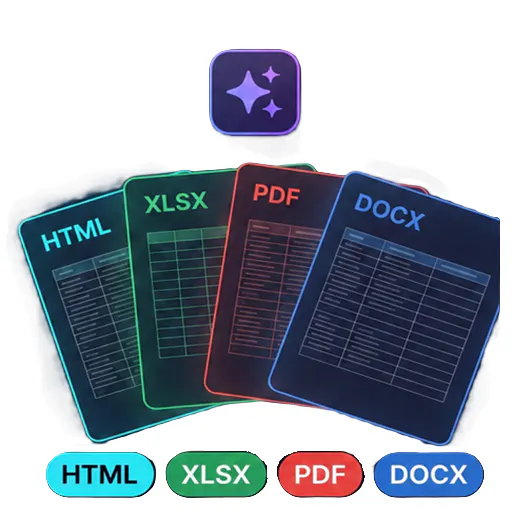 TenTags API & AI generate |
|---|---|---|
| Primary Category | API | API |
| Community Rating | No ratings(0 reviews) | No ratings(0 reviews) |
| Community Upvotes | 18 votes | 5 votes |
| Supported Platforms | Web | Web |
| Tags & Focus | #Developer Tools#SaaS#API | #Artificial Intelligence#Developer Tools#API |
| Maker / Company | Independent Developer | Independent Developer |
| Platform Verification | Community Listing | Community Listing |
About Fajita
Fajita is a modern infrastructure monitoring and alerting solution designed with the clever tagline: "Keep your infrastructure sizzling. Stop it from burning." Built for developers, SaaS teams, and tech operations, Fajita ensures that your core digital assets remain healthy and operational around the clock.
The platform provides comprehensive monitoring coverage across multiple vectors, including your websites, complex APIs, SSL certificates expiration tracking, and vital cron jobs. One of Fajita's standout operational safeguards is its ability to actively verify failures before spamming your team's communication channels, helping to drastically reduce false alarms and alert fatigue.
When actual outages or anomalies are verified, Fajita immediately dispatches alerts through popular channels like Email, Slack, Discord, or custom webhooks. Furthermore, it closes the communication loop with your end-users by offering professional, branded status pages to keep your customers transparently informed during maintenance or downtime incidents.
Pros of Fajita
- Monitors a wide array of infrastructure components including websites, APIs, SSL certificates, and cron jobs
- Intelligently verifies failures before triggering team alerts to prevent alert fatigue
- Multi-channel alerting support via Email, Slack, Discord, and custom webhooks
- Includes branded status pages to keep customers informed during service disruptions
Cons of Fajita
- Limited information regarding advanced customization options for status pages in the metadata
- Specific pricing tiers and limits are not explicitly detailed in the available documentation
- Integrations are currently limited to the specified notification channels (Email, Slack, Discord, webhooks)
Frequently Asked Questions
What components can Fajita monitor?
Fajita monitors websites, APIs, SSL certificates, and cron jobs to ensure your infrastructure remains healthy.
How does Fajita prevent false alarm alerts?
Fajita verifies failures before alerting your team, ensuring that transient network glitches do not unnecessarily wake up your engineers.
Where can Fajita send alerts when an issue is detected?
Fajita can send notifications to your team via Email, Slack, Discord, or custom webhooks.
Does Fajita help communicate downtime to customers?
Yes, Fajita features branded status pages designed to keep your customers informed regarding service status and incidents.
About TenTags API & AI generate
TenTags API & AI generate is an API-first document generation tool designed to streamline how developers and teams create structured files. By leveraging declarative Style/Data CSV templates, TenTags allows users to transform templates into HTML, PDF, XLSX, or DOCX files through a single authenticated endpoint.
Built for developer efficiency, the platform features a web playground where you can easily build and preview your templates before deploying them. Once ready, you can remotely generate documents from any backend system or via the command line interface (CLI), making it a flexible solution for modern software workflows.
Pros of TenTags API & AI generate
- API-first approach allows remote document generation from any backend or CLI
- Supports multiple popular output formats including HTML, PDF, XLSX, and DOCX
- Declarative Style/Data CSV templates simplify the document layout process
- Includes a web playground to build and preview templates in real time
Cons of TenTags API & AI generate
- Requires familiarity with API integrations and backend development
- Relies on declarative Style/Data CSV templates which may require a learning curve
- Limited documentation/details outside of core template-to-document conversion features
Frequently Asked Questions
What output formats does TenTags API support?
TenTags API supports generating documents in HTML, PDF, XLSX, and DOCX formats.
How do you create and test documents?
You can build and preview your declarative Style/Data CSV templates using the web playground, and then generate the final documents remotely from any backend or CLI via a single authenticated endpoint.
Who is this tool built for?
TenTags is designed primarily as a developer tool for software engineers and teams needing programmatic, API-driven document generation.