
Chat LLM vs TenTags API & AI generate
Comprehensive feature analysis, ratings breakdown, platform compatibility, and community review comparison.
Detailed Feature Comparison Matrix
Compare Other Tools| Dimension |  Chat LLM | 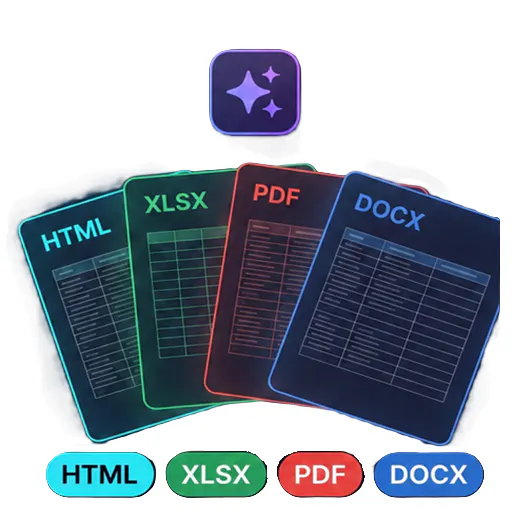 TenTags API & AI generate |
|---|---|---|
| Primary Category | API | API |
| Community Rating | 5.0(1 reviews) | No ratings(0 reviews) |
| Community Upvotes | 8 votes | 5 votes |
| Supported Platforms | Web | Web |
| Tags & Focus | #Artificial Intelligence#Developer Tools#API | #Artificial Intelligence#Developer Tools#API |
| Maker / Company | Independent Developer | Independent Developer |
| Platform Verification | Community Listing | Community Listing |
About Chat LLM
Chat LLM is a unified AI chat workspace designed to grant users access to over 300 AI models through a single, streamlined interface. By aggregating models from top industry providers—including OpenAI, Anthropic, Google, xAI, DeepSeek, Mistral, and Qwen—the platform offers extensive flexibility while eliminating vendor lock-in.
Getting started on Chat LLM is completely frictionless. Users can immediately interact with over 20 free AI models without registering or creating an account. For users who need access to premium models, Chat LLM provides flexible usage options: you can Bring Your Own Key (BYOK) to use personal API keys and bypass standard subscription limits, or purchase pay-as-you-go credits.
Beyond standard conversational chat, Chat LLM includes built-in tools tailored for developers and creators. It features real-time streaming, image generation, a code review bot, and a Full-Stack in-browser IDE complete with live preview capabilities. Additionally, the workspace offers multilingual support, is installable as a Progressive Web App (PWA), and provides an Open API compatible with popular developer tools such as Cursor, Roo, and Kilo.
Pros of Chat LLM
- Access 300+ AI models from top providers through a single interface
- Includes 20+ free models with no signup required
- Flexible usage via Bring Your Own Key (BYOK) or pay-as-you-go credits
- Built-in Full-Stack in-browser IDE with live preview and code review bot
- Open API integration (Cursor/Roo/Kilo compatible) and PWA support
Cons of Chat LLM
- Accessing premium models requires using your own API keys or purchasing credits
- Developer-focused features like the in-browser IDE may be unnecessary for casual chat users
Frequently Asked Questions
Do I need to create an account to use Chat LLM?
No, you can start chatting with over 20 free AI models immediately without any signup required.
What AI model providers are available on Chat LLM?
Chat LLM features 300+ models from providers including OpenAI, Anthropic, Google, xAI, DeepSeek, Mistral, Qwen, and others.
How does pricing work for premium models?
It is free to start. For premium models, you can either Bring Your Own Key (BYOK) using your own API keys or pay as you go using credits.
What developer tools are included in Chat LLM?
Chat LLM features a Full-Stack in-browser IDE with live preview, a code review bot, real-time streaming, and an Open API compatible with tools like Cursor, Roo, and Kilo.
Can I install Chat LLM as an application?
Yes, Chat LLM is installable as a Progressive Web App (PWA).
About TenTags API & AI generate
TenTags API & AI generate is an API-first document generation tool designed to streamline how developers and teams create structured files. By leveraging declarative Style/Data CSV templates, TenTags allows users to transform templates into HTML, PDF, XLSX, or DOCX files through a single authenticated endpoint.
Built for developer efficiency, the platform features a web playground where you can easily build and preview your templates before deploying them. Once ready, you can remotely generate documents from any backend system or via the command line interface (CLI), making it a flexible solution for modern software workflows.
Pros of TenTags API & AI generate
- API-first approach allows remote document generation from any backend or CLI
- Supports multiple popular output formats including HTML, PDF, XLSX, and DOCX
- Declarative Style/Data CSV templates simplify the document layout process
- Includes a web playground to build and preview templates in real time
Cons of TenTags API & AI generate
- Requires familiarity with API integrations and backend development
- Relies on declarative Style/Data CSV templates which may require a learning curve
- Limited documentation/details outside of core template-to-document conversion features
Frequently Asked Questions
What output formats does TenTags API support?
TenTags API supports generating documents in HTML, PDF, XLSX, and DOCX formats.
How do you create and test documents?
You can build and preview your declarative Style/Data CSV templates using the web playground, and then generate the final documents remotely from any backend or CLI via a single authenticated endpoint.
Who is this tool built for?
TenTags is designed primarily as a developer tool for software engineers and teams needing programmatic, API-driven document generation.