
BackdropKit vs Tokokino
Comprehensive feature analysis, ratings breakdown, platform compatibility, and community review comparison.
BackdropKit
Launch-ready screenshots and demo videos private by design
Detailed Feature Comparison Matrix
Compare Other Tools| Dimension | BackdropKit |  Tokokino |
|---|---|---|
| Primary Category | Design Tools | Design Tools |
| Community Rating | No ratings(0 reviews) | No ratings(0 reviews) |
| Community Upvotes | 12 votes | 6 votes |
| Supported Platforms | Web | Web |
| Tags & Focus | #Privacy#Marketing#Design Tools | #Open Source#GitHub#Design Tools#Animation |
| Maker / Company | Independent Developer | Independent Developer |
| Platform Verification | Community Listing | Community Listing |
About BackdropKit
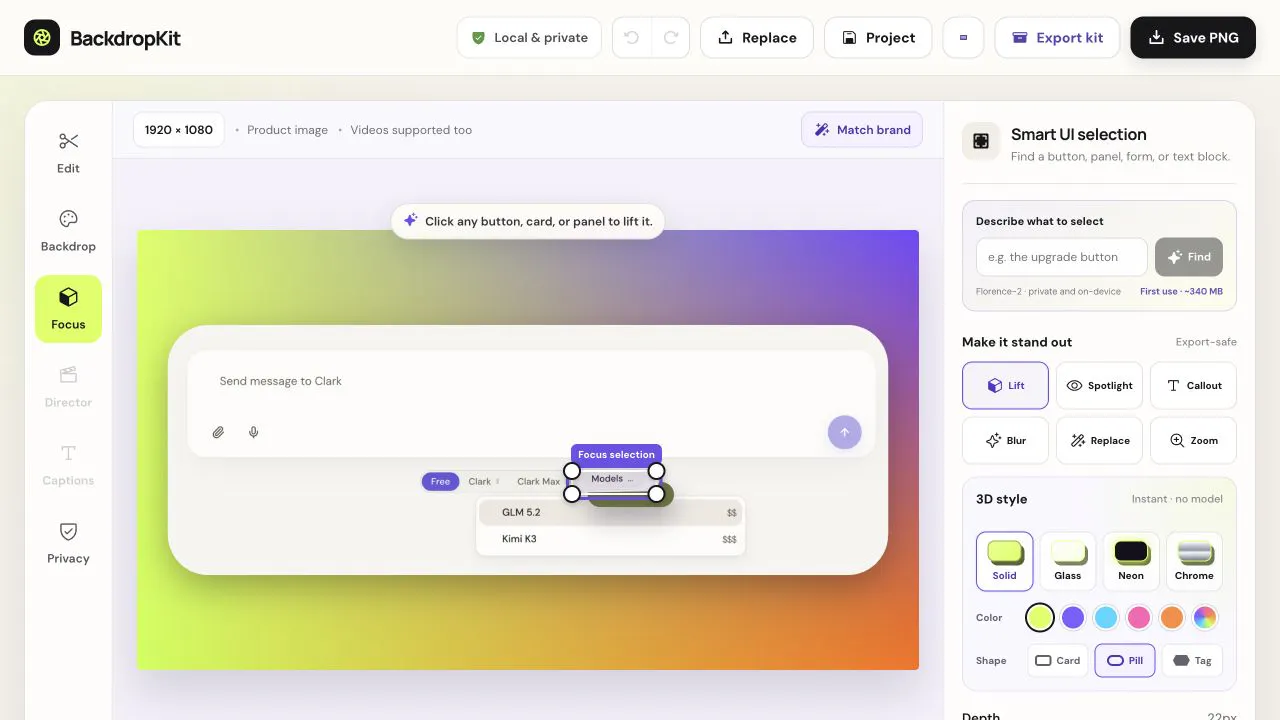
BackdropKit is an innovative design and marketing tool created by founder Stanislav Kirdey, built specifically to transform raw product screenshots and demo videos into complete, professional launch kits. Designed with privacy at its core, BackdropKit operates entirely locally within your browser, ensuring that your sensitive product assets never leave your device.
With BackdropKit, users can easily enhance their UI presentations by adding or generating custom backgrounds, spotlighting key UI features, adding callouts, and redacting sensitive text. The platform allows you to export perfectly sized assets for various marketing channels, including channel-sized images, videos, GIFs, thumbnails, post copy, and alt text—all completely free, private, and watermark-free.
Pros of BackdropKit
- Runs 100% locally in your browser for absolute privacy and security
- Completely free to use with no watermarks on exports
- Generates complete launch kits including images, videos, GIFs, thumbnails, post copy, and alt text
- Includes essential editing features like background generation, UI spotlighting, callouts, and sensitive text redaction
Cons of BackdropKit
- Feature set is primarily focused on screenshot and demo video launch prep
- Advanced cloud-based integrations or team collaboration tools are not explicitly detailed
Frequently Asked Questions
What is BackdropKit?
BackdropKit is a browser-based design and marketing tool that turns raw product screenshots and demo videos into complete launch kits, featuring background generation, UI callouts, text redaction, and multi-channel exports.
Is BackdropKit private and secure?
Yes. Everything runs locally in your browser without sending your raw product screenshots or demo videos anywhere, making it completely private by design.
Is BackdropKit free to use?
Yes, BackdropKit is free to use and provides watermark-free exports.
What can I export using BackdropKit?
You can export channel-sized images, videos, GIFs, thumbnails, alongside marketing assets like post copy and alt text.
About Tokokino
Tokokino is an innovative, fully client-native product video generator that operates directly within your web browser. Built for indie makers, designers, and creators, it transforms simple static screenshots into polished, professional product videos and mockups.
By leveraging advanced browser technologies such as WASM codecs, Tokokino ensures a consistent and reliable video generation and rendering experience across all major browsers. It features a range of animated templates, video editing support, and clever tools like auto-background generation that intelligently creates a matching gradient based on your uploaded image.
Standing out in the design tools space, Tokokino is fully open-source and free, offering watermark-free exports, free cloud storage for your drafts and presets, and even a dedicated Twitter and Bluesky post beautifier.
Pros of Tokokino
- Fully open-source and free to use
- Runs entirely in the browser as a client-native application
- Watermark-free exports for professional results
- Includes WASM codecs for a consistent cross-browser experience
Cons of Tokokino
- Relies entirely on browser and client-side processing performance
- Feature set is specialized primarily for screenshots and product mockups
- Dependent on cloud storage features for drafts and presets
Frequently Asked Questions
What is Tokokino?
Tokokino is an in-browser, fully client-native product video generator designed to beautify simple screenshots into engaging product mockups and videos.
Is Tokokino free to use?
Yes, Tokokino is fully open-source and free, offering watermark-free exports and free cloud storage for drafts and presets.
How does Tokokino work across different browsers?
Tokokino utilizes WASM codecs to ensure a consistent and reliable rendering and processing experience across all browsers.